
1. This document explains the procedure for updating direct deposit changes in HR and payroll systems.
Tip: Keep in mind that in HR, the net remainder always goes to the first direct deposit account, which must account for 100%. In PN, the net remainder is always assigned to the last active record and must also account for 100%.
Adding a New Account
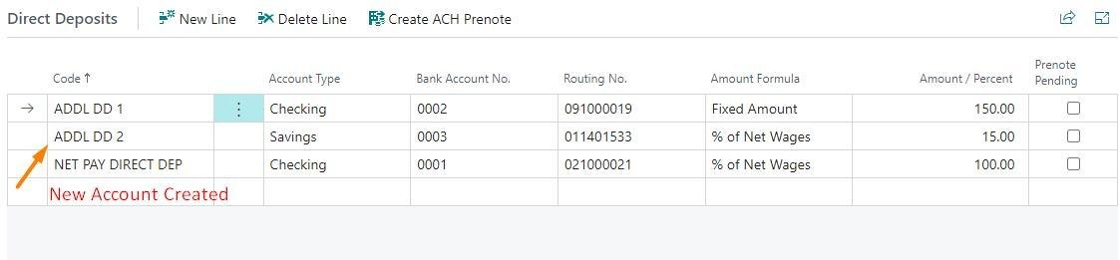
2. When a new account is added, the integration ensures that the accounts remain in order, with the net remainder record always being the last account.
3. For instance, if a third Direct Deposit is added to an employee.
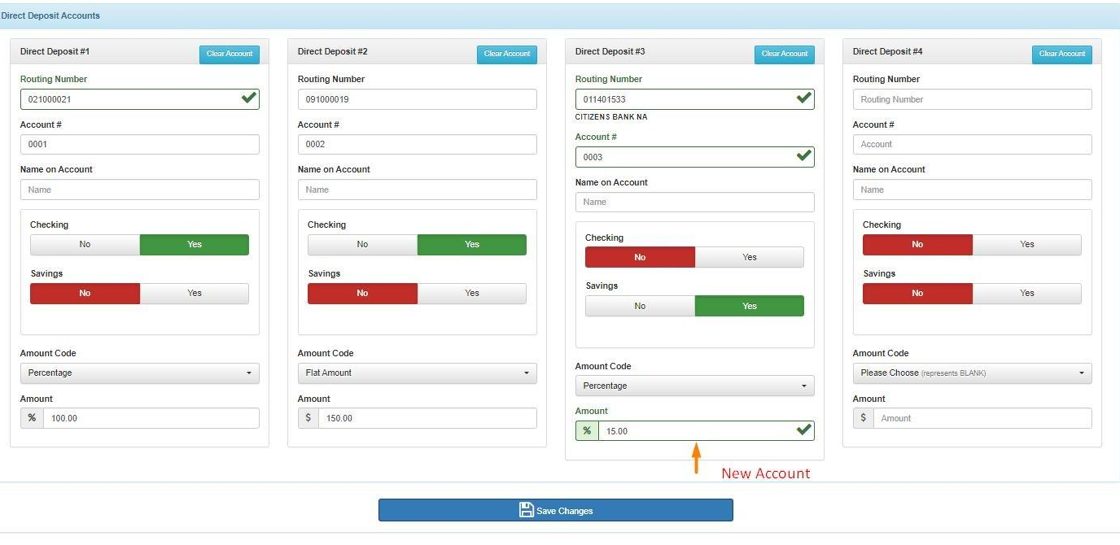
4. The system will automatically create a new account, making the necessary adjustments to accommodate the new account.
Clear Direct Deposit Account (Delete)
5. For instance, if the third Direct Deposit account is cleared for an employee.
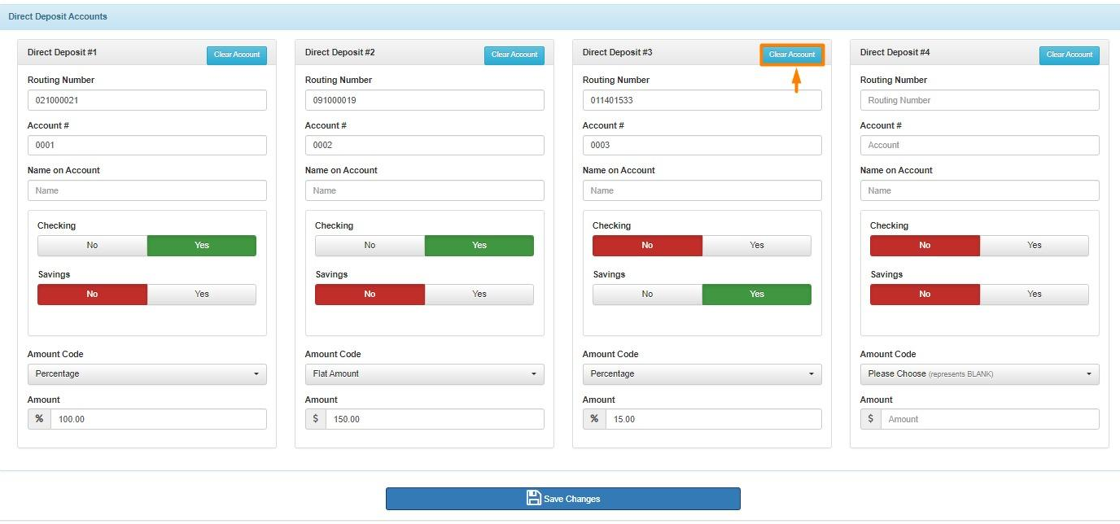
6. The system will clear the account in PN automatically.

Update Direct Deposit Account Example
7. For instance, if the 2nd Direct Deposit account is updated to a ‘$200.00’ amount
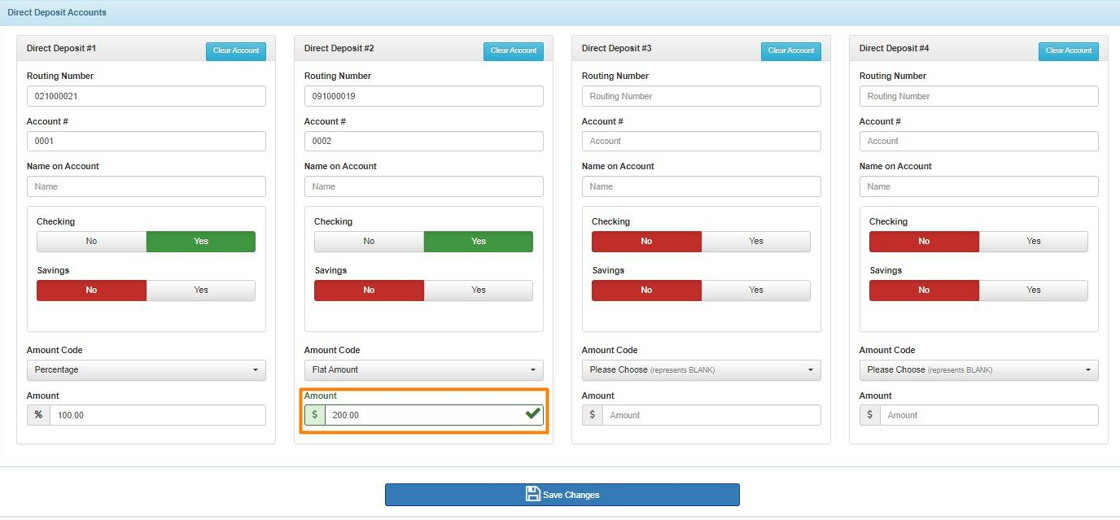
8. The system will update the account to the new amount of ‘$200.00’.

Questions / Resources:
If you have questions or comments please email support@integrity-data.com
Last Review: 05/09/2024
Leave A Comment