
Follow these steps when a new user needs to be given access to Payroll NOW.
To gain access to Payroll NOW, the user must first have a license for Business Central.
- Type “Users” in the search bar.
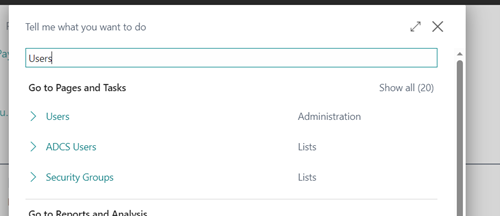
- Select “Users” (Administration).
- Scroll down the list or Search for the User.
- If not found, the user will need to be licensed for Business Central prior to proceeding.
- Select the Username that needs access.
- Open User Permission Sets.
- Verify that they have both IDPN PAYROLL NOW and IDPN PAYROLLNOW BASE

- From the Full Payroll Menu, Select “Payroll Setup”
- Scroll down to the Payroll Users Setup.
- Add the User, indicating the applicable access

The User should now be able to login to Payroll NOW.
Questions / Resources
If you have questions or comments please email support@integrity-data.com.
Last Review: 05/06/2024
Leave A Comment