
Balancing your W-2s to the 941 reports for the current year can be done at any time in Payroll NOW. Printing of the W3 at any moment in time will give you to
totals for that tax year to that point in time. You can also print your 941 at any time to get the totals for the current quarter at that point. Adding the 941 for the
current quarter at that point to previously filed 941s should match your W3 totals.
Printing Forms
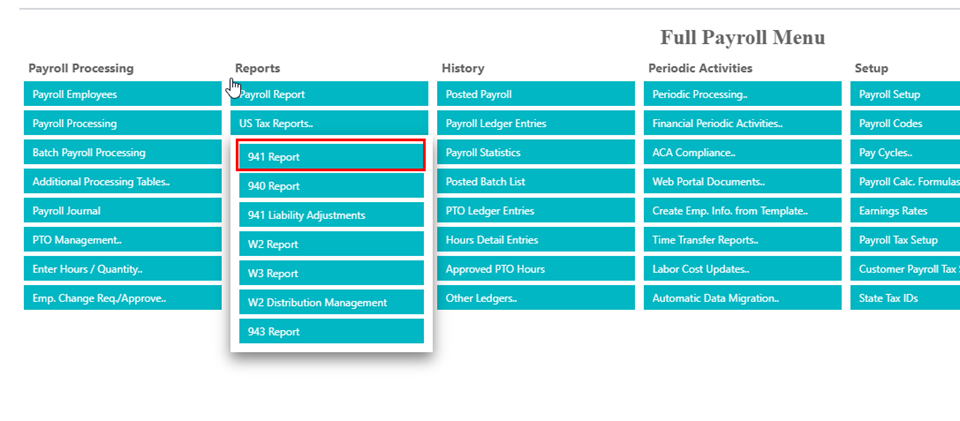
941 – Under the full payroll menu, go to Reports/US Tax Reports/941 Report
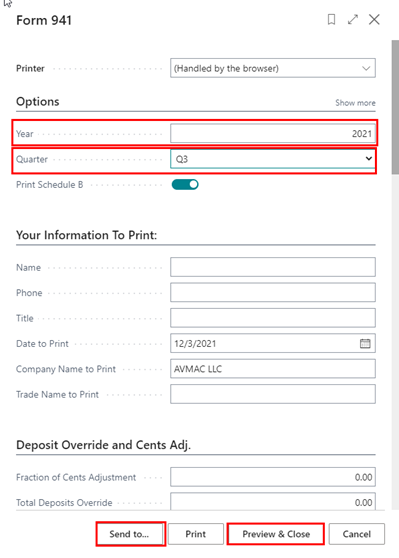
Make sure to select the correct year and quarter and then you can either Preview & Close or you can Send To…. and choose PDF if you want to save it.
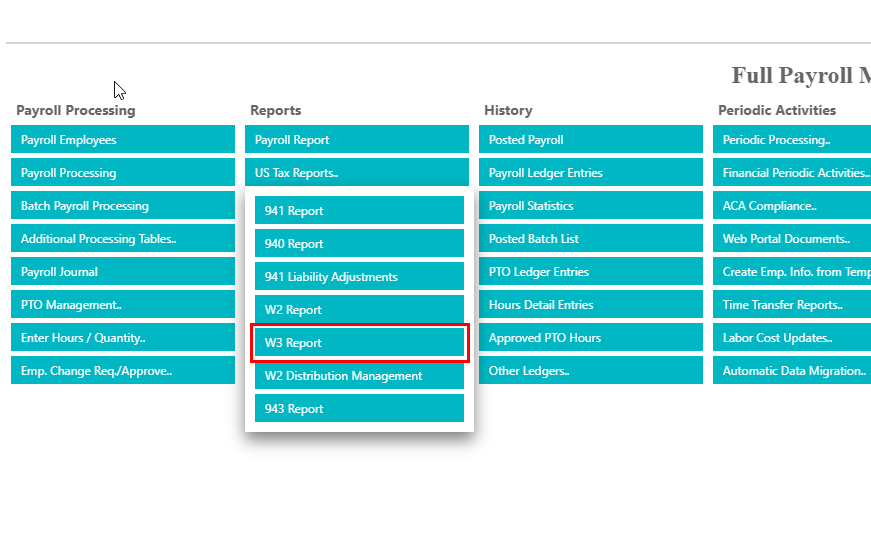
W3 – Under the full payroll menu, go to Reports/US Tax Reports/W3 Report
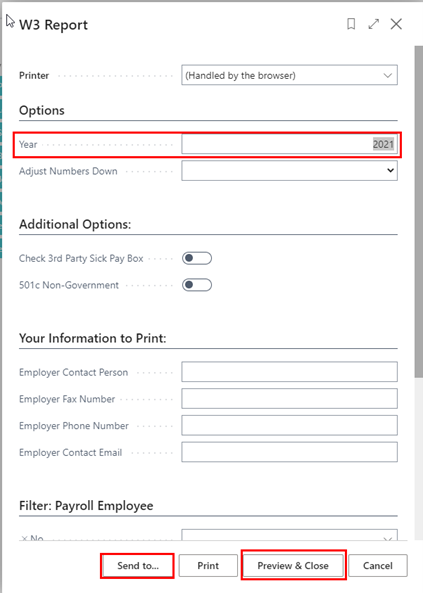
Make sure to select the correct year and then you can either Preview & Close or you can Send To…. and choose PDF if you want to save it.

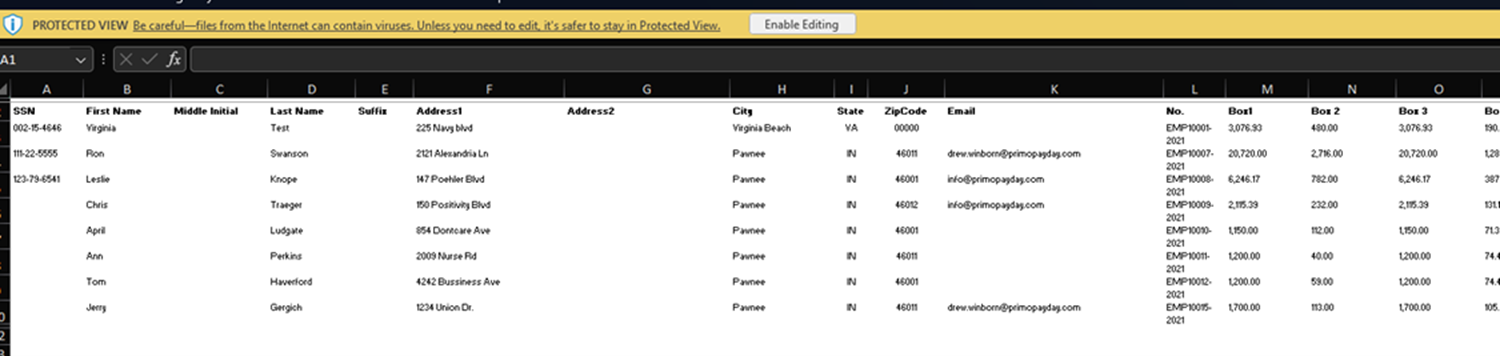
W2 Report by employee in Excel
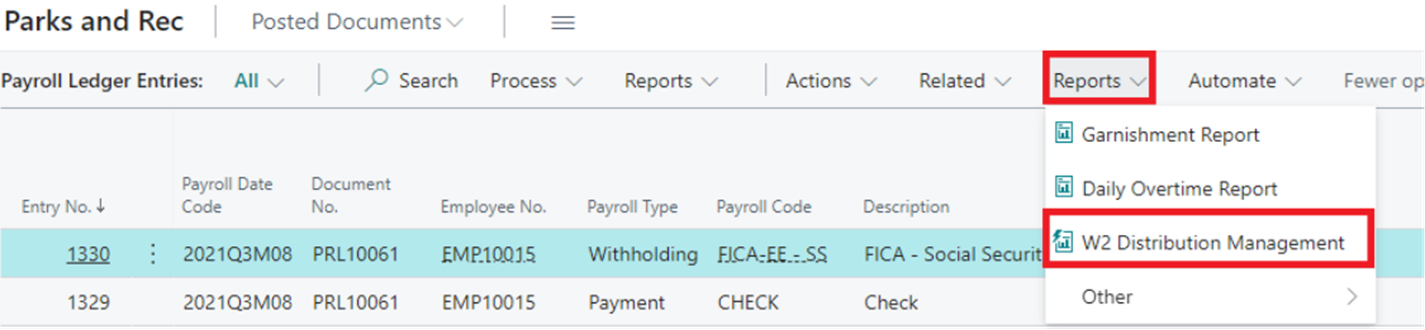
For a detailed report of each employee detail to reconcile your W2s go ‘Payroll Ledger Entries’ > Reports > W2 Distribution Management.
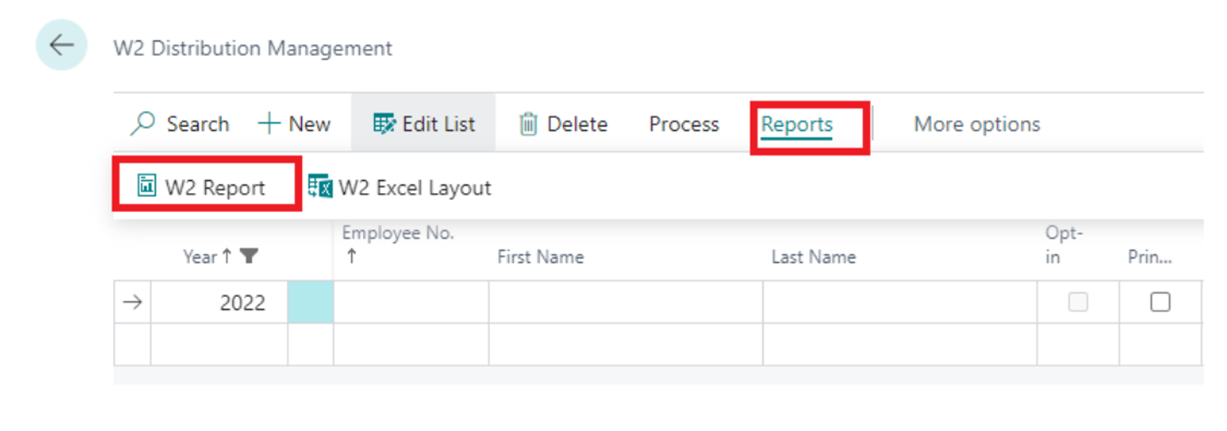
From there click ‘Reports’ > W2 Report.
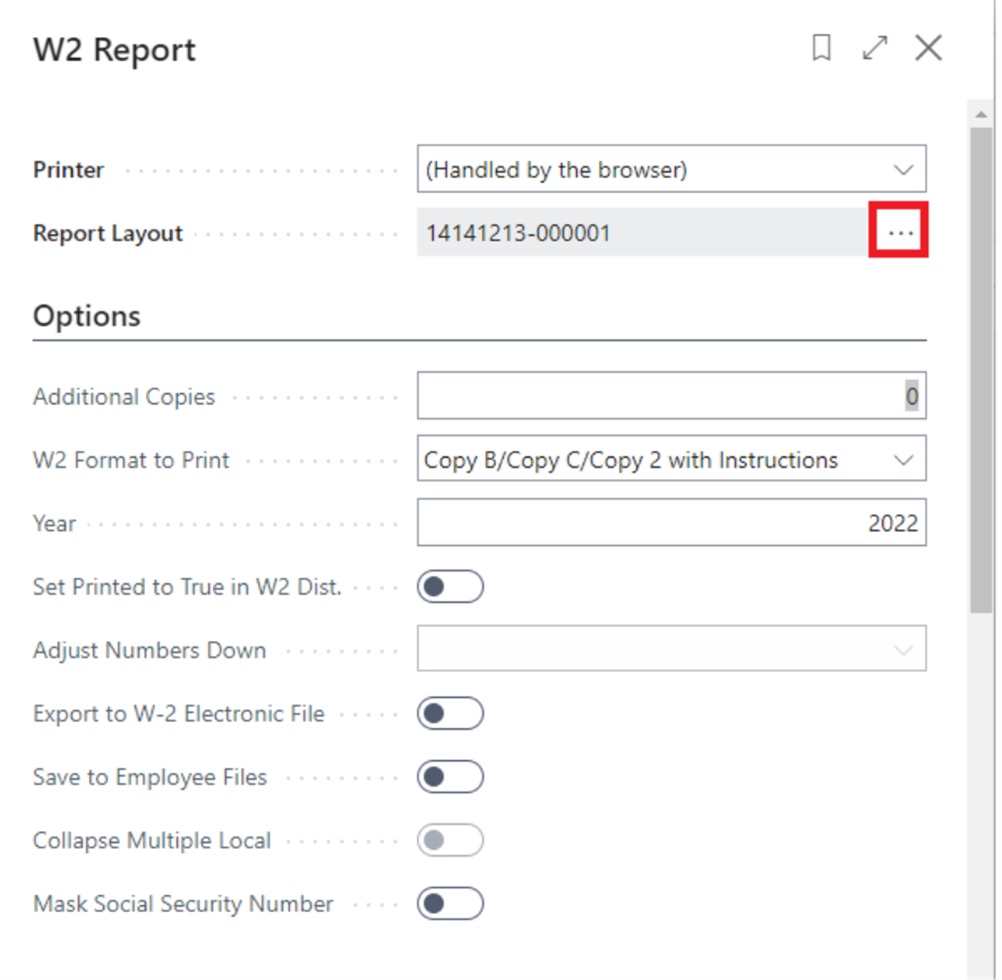
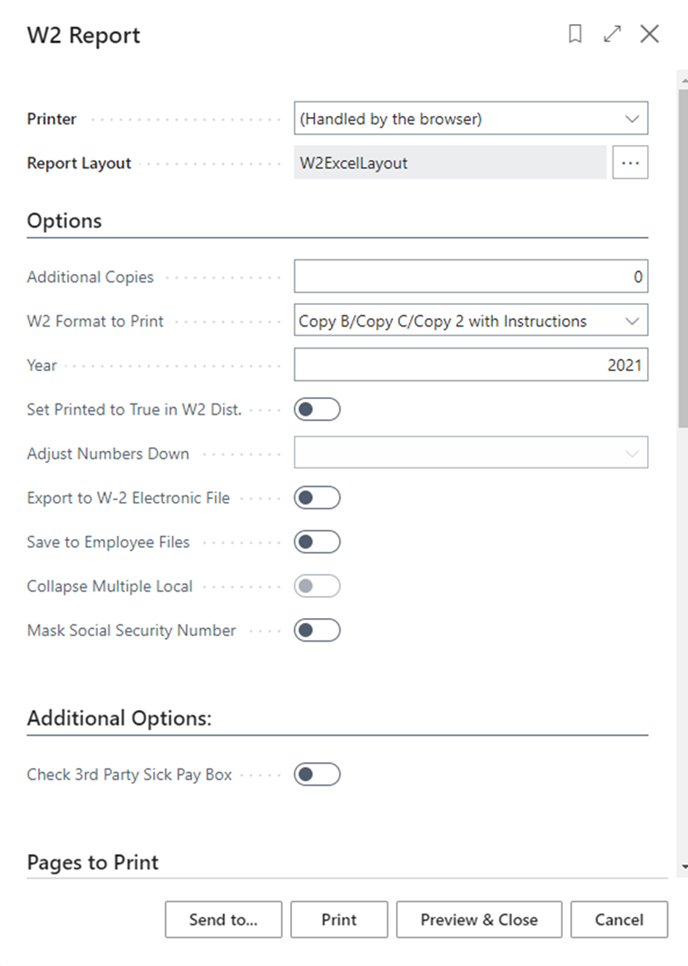
When in the W2 Report screen, select the ellipsis button to the right of ‘Report Layout’.
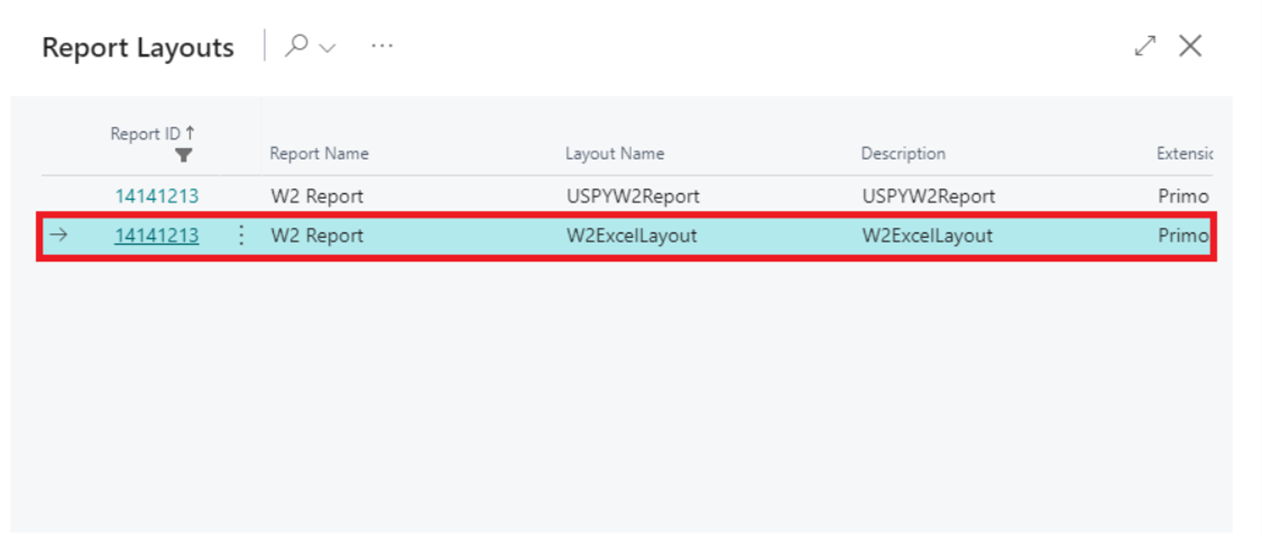
Select W2ExcelLayout report layout.
Then run your W2report with ‘Send To’ > ‘Microsoft Excel Document (data and layout).
Questions / Resources
If you have questions or comments please email support@integrity-data.com.
Last Review: 9/21/2023
Leave A Comment