
Below is a comprehensive guide on how to manually input or upload wage hours for specific dates, including applying dimensions to manual hours details. This structured process accommodates both bulk uploading of employee hours and manual entry, ensuring accurate tracking and effective management of employee work hours.
Open Enter Hours Details
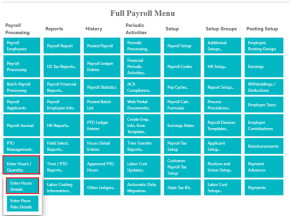
Bulk Upload Employee Hours
1. Click on the ‘SUGGEST LINES’ page action.
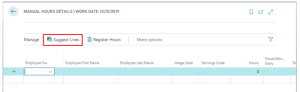
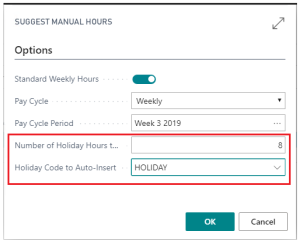
2. Auto-populate Standard Weekly Hours from each employee’s salary table if required.
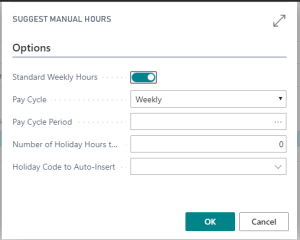
3. Select a pay cycle period from the drop-down menu.
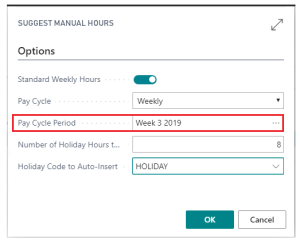
4. Optionally, enter the number of holiday hours to include or specify a Holiday Code for auto-insertion. All employee data will populate in the fields with holiday hours separated.
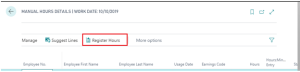
5. Click on the ‘REGISTER HOURS’ page action to register the hours to the hours detail table, which will automatically bring them into the payroll processing documents.
Manually Update Hours
After you CLICK ‘ENTER HOURS DETAIL’ the following screen will appear
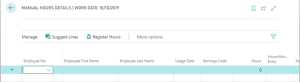
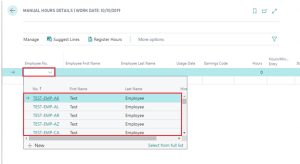
1. Enter Employee Number or Select Employee from drop down menu in ‘Employee No.’ field
2. In the ‘Usage Date’ field, Select the Usage Date from the drop down menu.
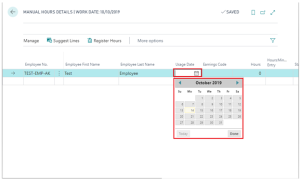
3. Select the Earnings Code from drop down in ‘Earnings Code’ field
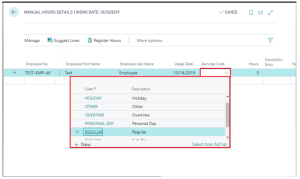
4. Enter Hours in ‘Hours’ field
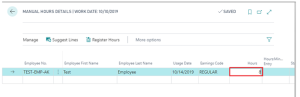
5. Select ‘Register Hours’ to post hours to the ‘Hours Detail’
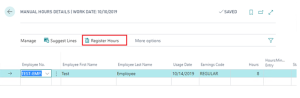
Manually Inputting ‘ENTER HOURS DETAIL’
1. Employee Number or select an employee from the drop-down menu.
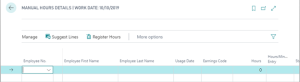
2. Select the Usage Date from the drop-down menu.
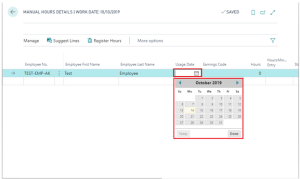
3. Choose the Earnings Code from the drop-down menu.
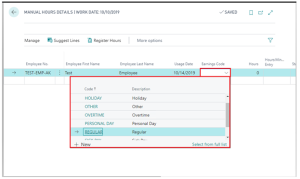
4. Enter the hours worked in the ‘Hours’ field.
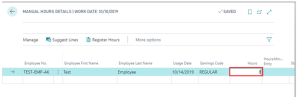
5. Click on ‘Register Hours’ to post the hours to the ‘Hours Detail’.
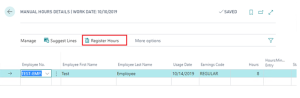
Applying Dimensions to Manual Hours Detail
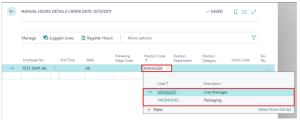
This feature allows users to apply dimensions to employee hours, though it’s not mandatory for entering hours detail. Users can apply up to 4 dimensions for each hours detail line.
1. Select a Dimension Code from the drop-down menu under ‘POSITION CODE’. Optionally, select a job from the drop-down menu in the ‘JOB NO.’ field to attach the employee hours to a specific job.
Questions / Resources
If you have questions or comments please email support@integrity-data.com.
Last Review: 04/10/2024
Leave A Comment