
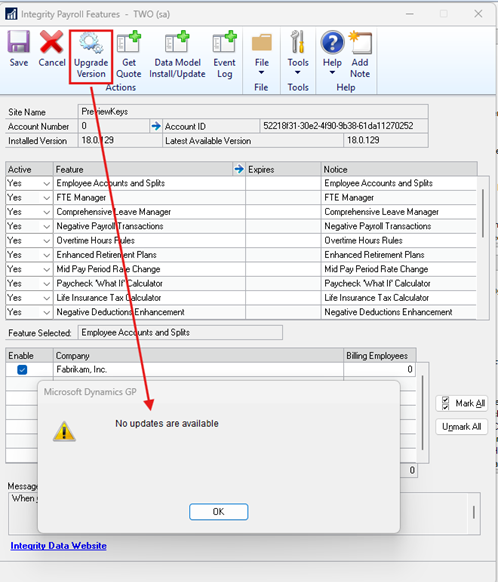
“Upgrade Version” button in the Integrity Data Payroll Feature Manager Window
For all customers who are needing to install the Integrity Data update, please do not use the “Upgrade Version” button Integrity Data Payroll Features window. This button creates a warning message stating no updates are available and/or will give an error message. Instead, please get the download the release you would like to install on the Download Software Solutions – Integrity Data link.
Issue:
When using the “Upgrade Version” button Integrity Data Payroll Features window an warning message will occur “No updates are available”.
Resolution:
To install an Integrity Data upgrade, go to the Integrity Data website to download the release you would like to install Download Software Solutions – Integrity Data.
Thank you,
Integrity Data Support.