
Resolving Direct Deposit Setup Errors in Payroll NOW
When creating a payroll batch in Payroll NOW for Business Central, you may encounter the error:
“Direct Deposit Employee must be ‘Yes’ in order to have a direct deposit deduction”
or
“A net direct deposit line must be entered in the employee’s direct deposit information.”
This error prevents the payroll batch from processing for the affected employee.
Cause
This error occurs when the employee’s direct deposit configuration is incomplete or corrupted. Common causes include:
- The Direct Deposit Employee flag is not set to Yes on the employee card, but direct deposit deduction lines exist.
- The direct deposit lines were partially entered or became corrupted after an import or update.
- A recent system update changed validation logic for direct deposit configurations.
Resolution
Follow these steps to resolve the error:
Option 1: Delete and Re-add Direct Deposit Lines
-
- Navigate to Full Payroll Menu >> Employees >> Payroll Employees.
- Select the affected employee.
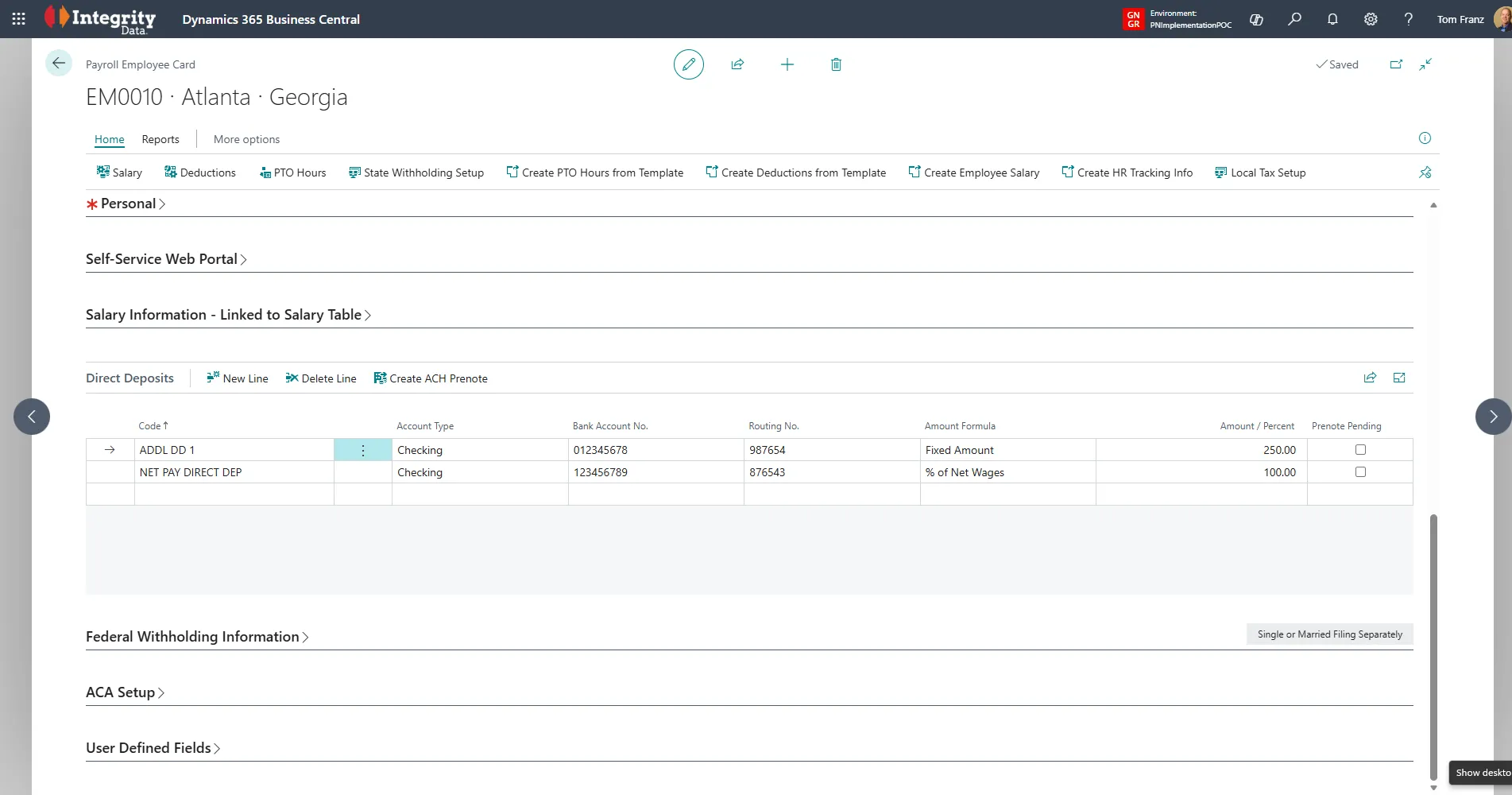
- Scroll down to the Direct Deposits section on the Payroll Employee Card.
-
- Delete all existing direct deposit lines for the employee.
- Re-enter the direct deposit information:
- Set Direct Deposit Employee to Yes.
- Add the bank account details (routing number, account number, account type).
- Ensure one line is marked as the Net (remainder) deposit using % of Net Wages at 100.

- Save the record and retry the payroll batch.
Option 2: Verify the Direct Deposit Employee Flag
- Navigate to Full Payroll Menu >> Employees >> Payroll Employees.
- Select the affected employee.
- Confirm that Direct Deposit Employee is set to Yes.
- If the flag is No but direct deposit deductions exist, either:
- Set the flag to Yes and verify the direct deposit lines, or
- Remove the direct deposit deduction lines if the employee should receive a physical check.
Prenote Considerations
After re-adding direct deposit lines, be aware that your bank may require a new prenote (pre-notification) before processing live deposits. Contact your bank to confirm whether a prenote is needed and allow sufficient processing time before the next payroll.
Questions / Resources
If you have questions or comments please email support@integrity-data.com.
Last Review: March 2026
Leave A Comment