
STEP 1) Mark Terminated Employee as “Eligible for Rehire”
To rehire an employee, they must be marked as ‘Eligible for Rehire’ in the system. By default, any employee that was imported during your initial ‘Go Live’ will be marked as “Not Eligible for Rehire”. To change the status to “Eligible for Rehire”, lock into their name at the top of the HR Dashboard.

Click on the Employee Tile and select Employee Summary.

The Employee Summary window will open. If you do not see the Employee Summary listed, you will need to change the Advanced Filter Set to make the employee available.

Change the filter to Active NO and click on Apply Filter.

Now you should be able to see the employee listed in the Employee Summary.

Click on it to open it.
Scroll down to Employment/Eligible for Rehire and click on Yes. Click on Save Changes at the bottom of the page.

STEP 2) Rehire Terminated Employee
From your HR Dashboard, click on the Hiring Tile and select Onboarding Prep.

Click on the dropdown menu under Type of Hire and select Re-Hire/Select Tax Form from dropdown menu/select the position/select the employee that you want to Re-Hire/select the Hire Date/verify that the correct employee ID is listed and click on Let’s begin OnBoarding.

Review the information for the employee and make any changes/updates as needed. Any field that has*next to it, is a required field that you must complete to be able to save the record.

If you are using Benefits Open Enrollments, be sure to complete the benefits information. Remember, you must set the invitation date to be sent at least 2 days prior to when you want it to go out or it will not be sent.

When you have completed the information, click on Submit at the bottom of the page.
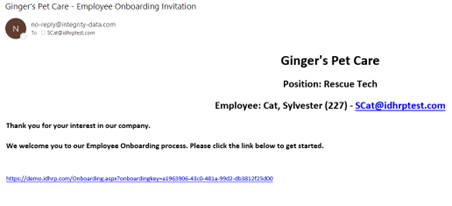
An Onboarding email will be sent to the employee to begin Onboarding.
You will see the employee on your Onboarding Dashboard. Continue with the same steps that you take for a New Hire.

Questions / Resources
If you have questions or comments please email support@integrity-data.com.
Last Review: 09/14/2023
Leave A Comment