
Access the HR Admin Dashboard and search “Workflow” or scroll down to find the “Workflow” menu.
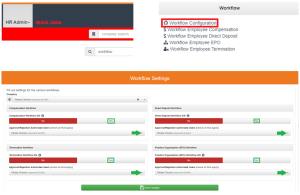
Activate the desired workflow(s) by selecting “Yes” and then choosing one or more authorized users that you give permission to approve or reject the workflow.
Save changes to activate the authorized user to get a notification and approve or reject the workflow, which also can be accessed by returning to the workflow menu on the the HR Admin Dashboard and selecting the desired workflow.
Questions / Resources
If you have questions or comments please email support@integrity-data.com.
Last Review: 05/09/2024
Leave A Comment