
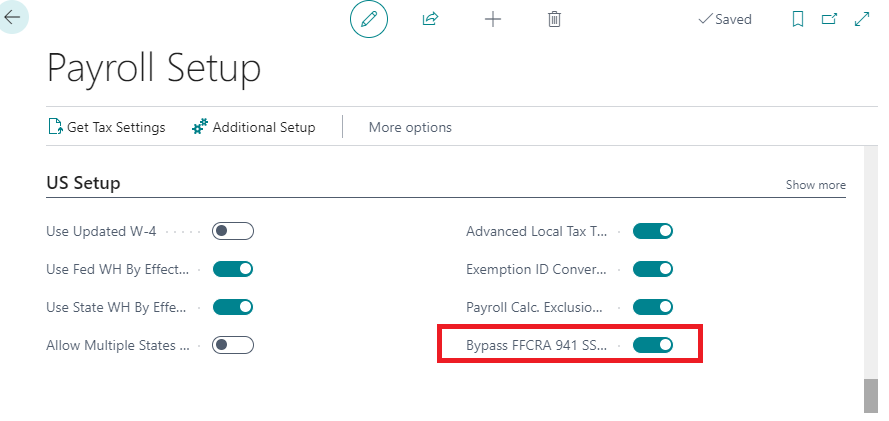
Bypass FFCRA 941 SS ER Calculations
The new update automatically sets ‘Bypass FFCRA 941 SS ER Calculations’ to True.
In Q2 2021, the FFCRA credit was changed from SS ER to Med ER, however the credit was moved from the top portion of the 941 to the bottom section to be taken as an adjustment, therefore the Med ER credit does not need to be reflected in the payroll ledger entries.
Exemption ID Conversions
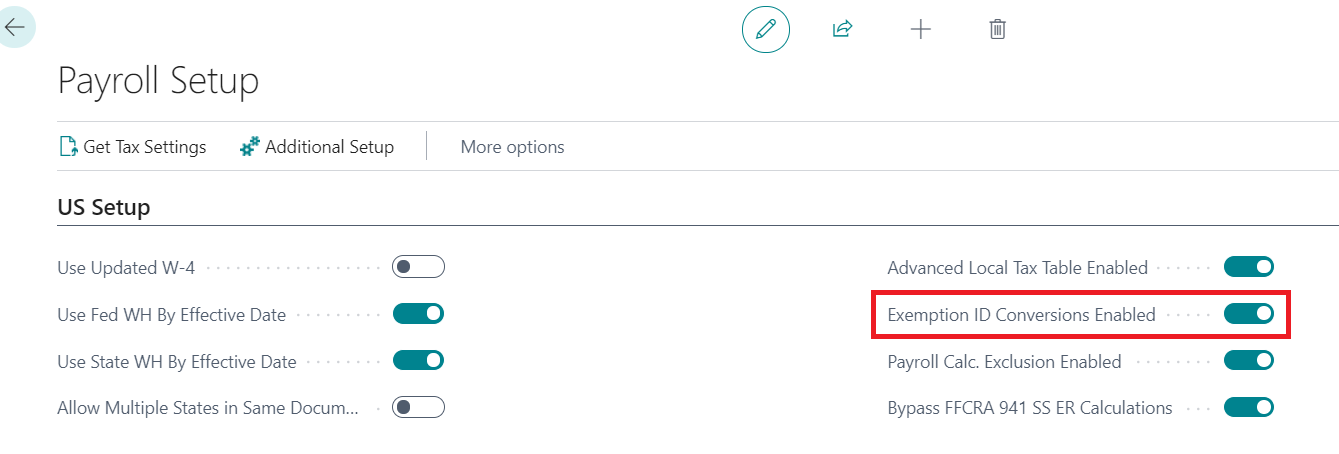
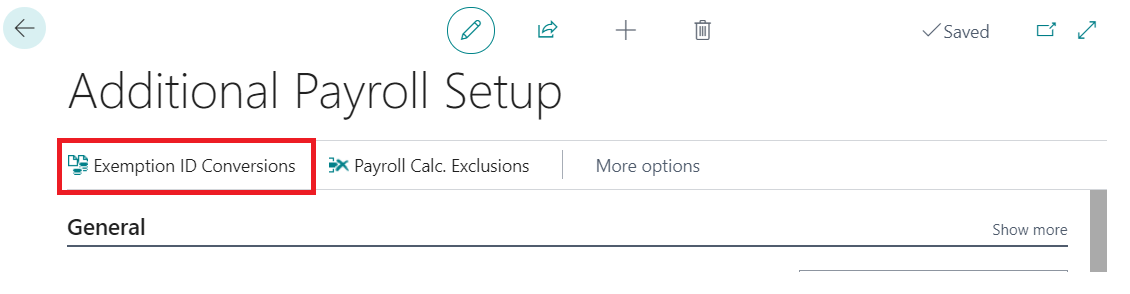
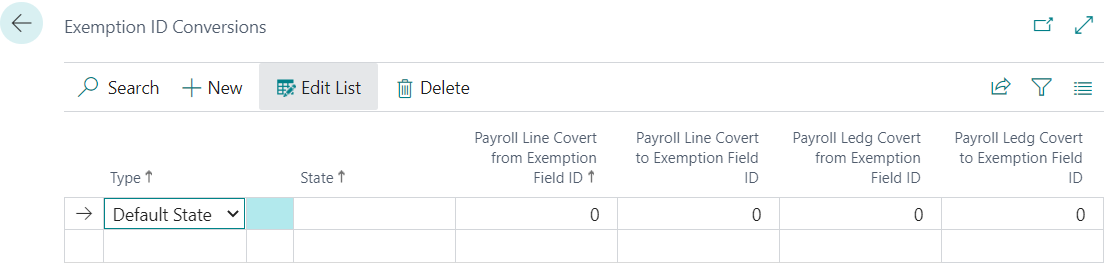
When you select ‘Exemption ID Conversions Enabled’ in the Payroll Setup Table it will allow you to access the new ‘Exemption ID Conversions’ table. This feature allows you to change the exemption field number for designated states. This allows the user to have ‘exceptions’ for designated state exemptions when some states treat taxable wages differently than others (for example, the 410K treatment in PA)
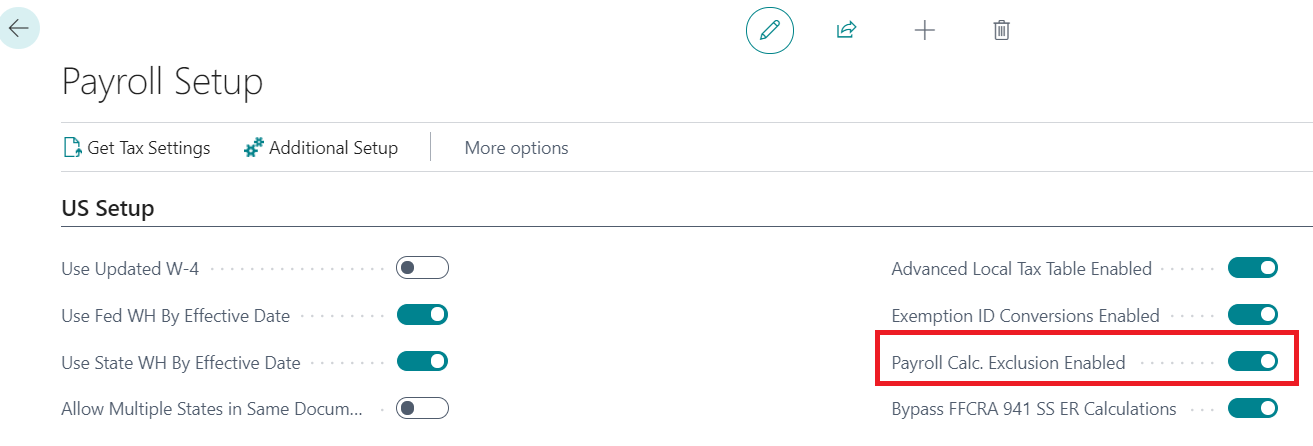
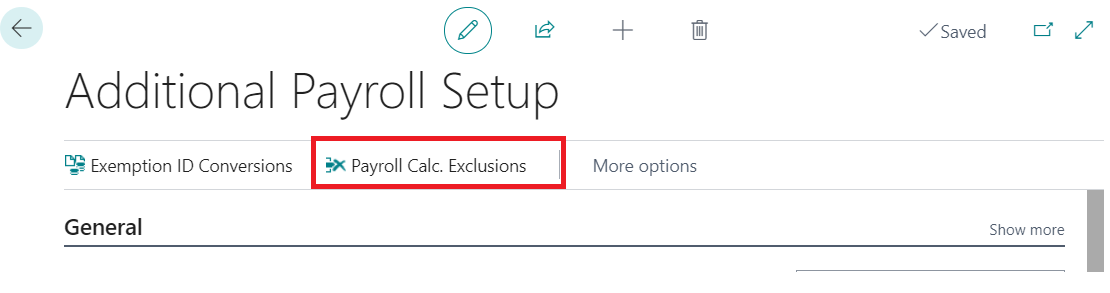
Payroll Calculation Exclusion Enabled
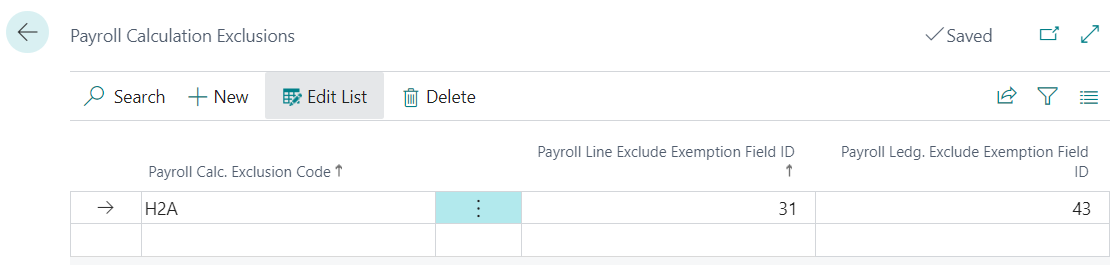
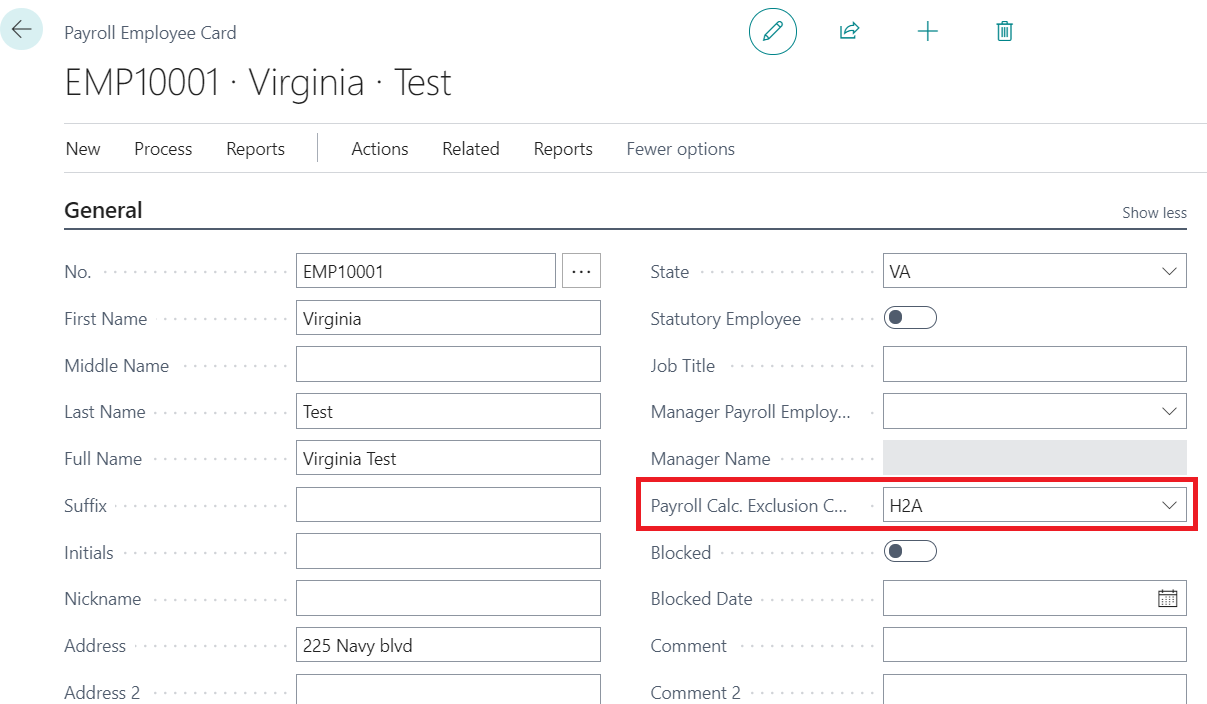
This table allows you to set up certain types of taxes to be completely excluded (wages and withholding/employer tax) from the employees that have this exclusion code. For example, if you select exempt from social security the employees with this exclusion code will show no applicable wages or withholding in their payroll document or in the tax reports like W2, and 941.
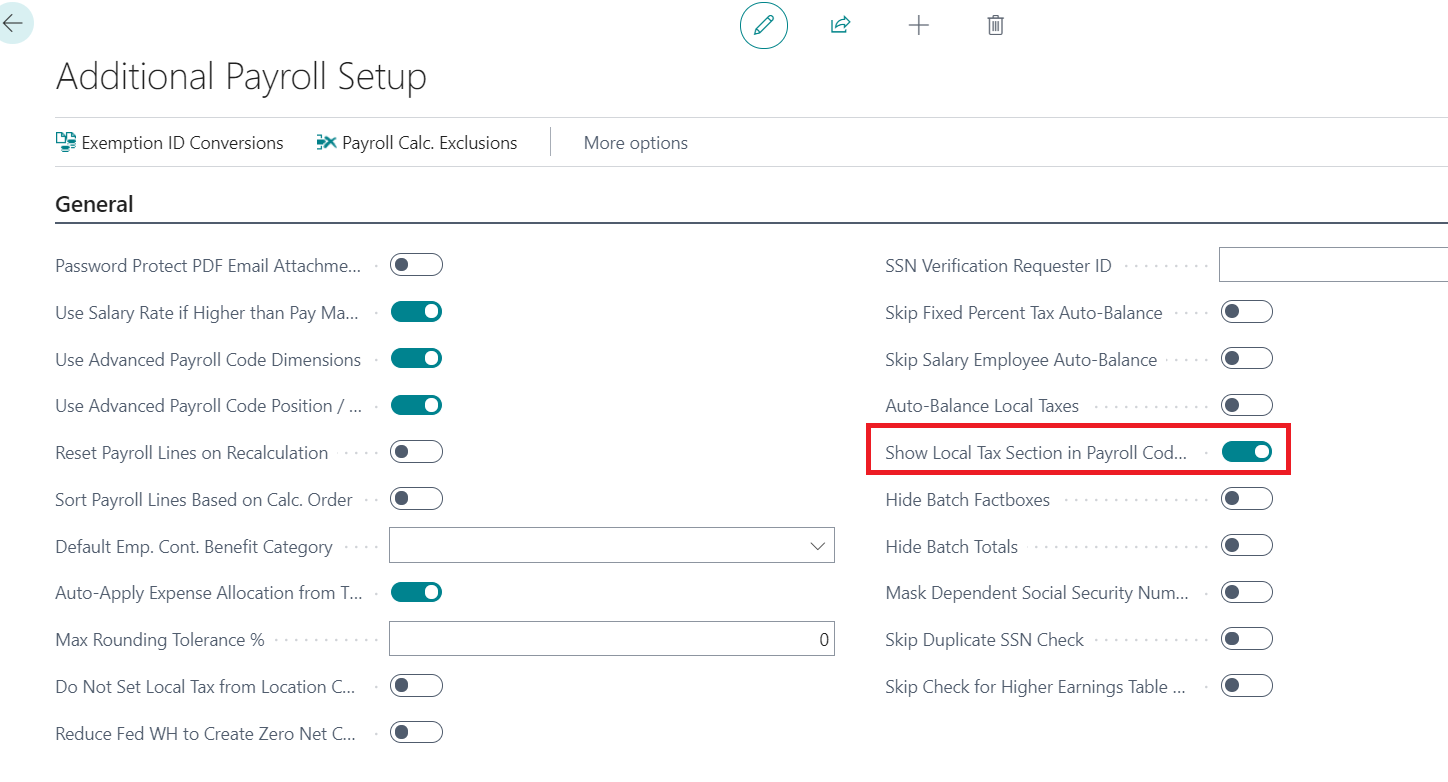
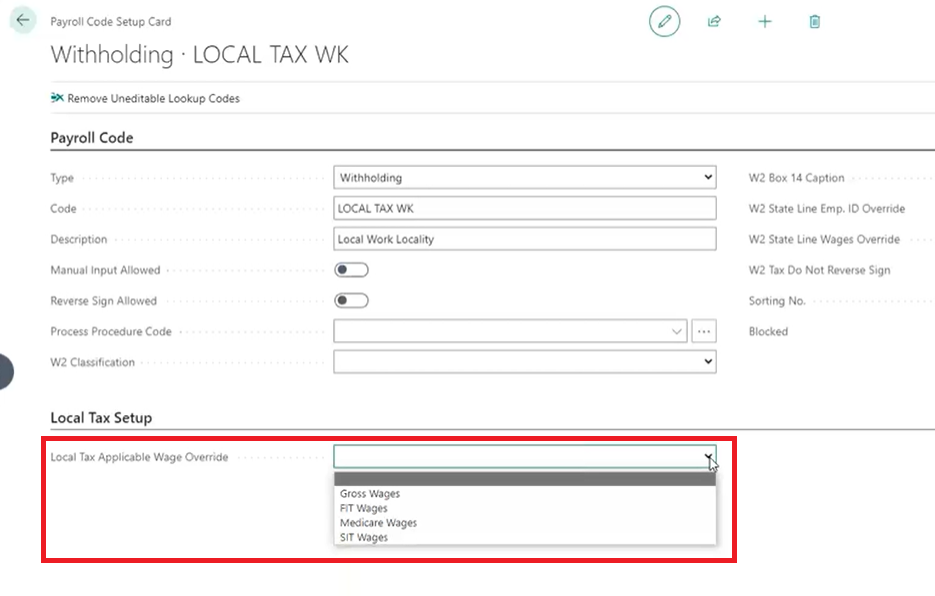
Local Tax Applicable Wage Override
This feature allows you to determine what wages are applicable to the local tax at the local tax payroll withholding code level. Therefore, you can have different local tax withholding codes using different wage bases.
Covid Earnings Setting Update !!!
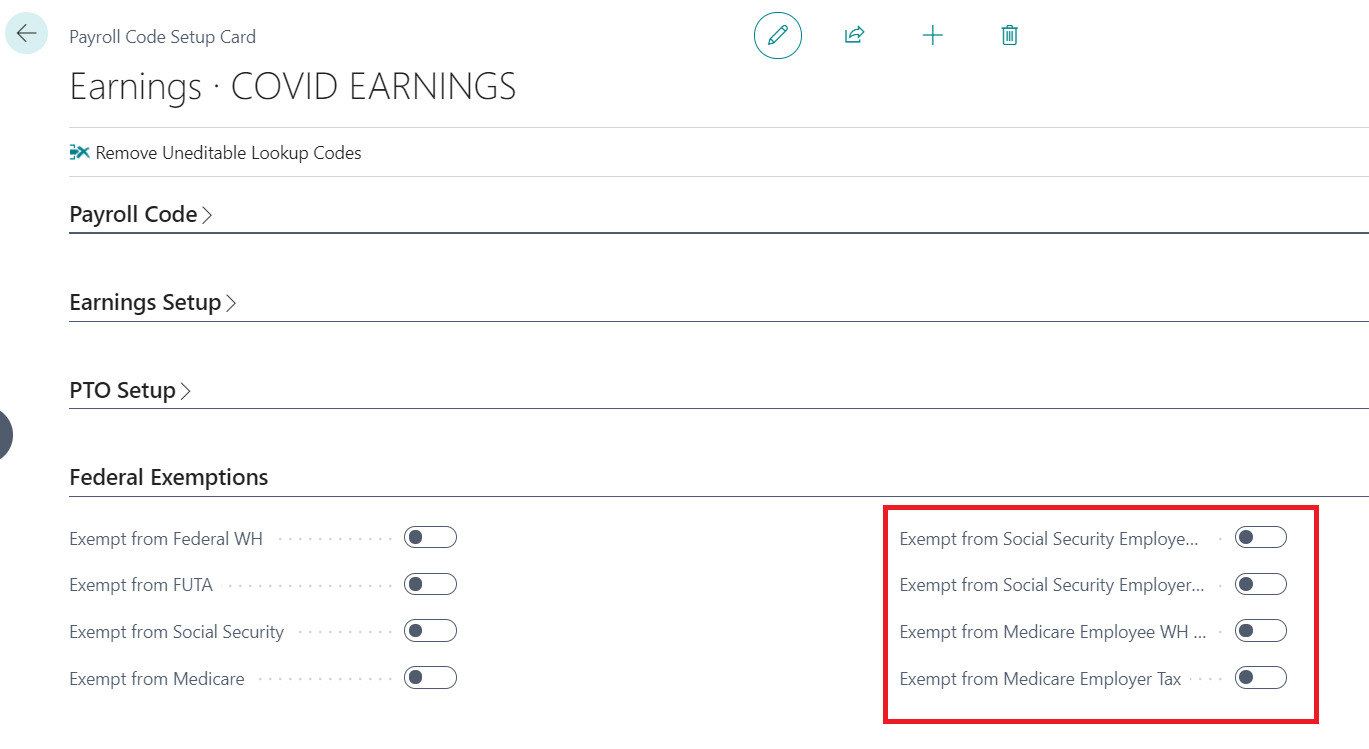
In Q2 2021 the IRS made changes to how Qualified Covid Earnings exemptions are calculated. Please make sure that Covid Earnings are no longer set to be exempt from SS EE, SS ER, MED EE, or MED ER in the ‘Federal Exemptions’ tab of the Covid Earnings Payroll Code Setup Card. The credit should not be part of the payroll lines/ledger anymore as it is now taken towards the bottom of the 941 as an adjustment.
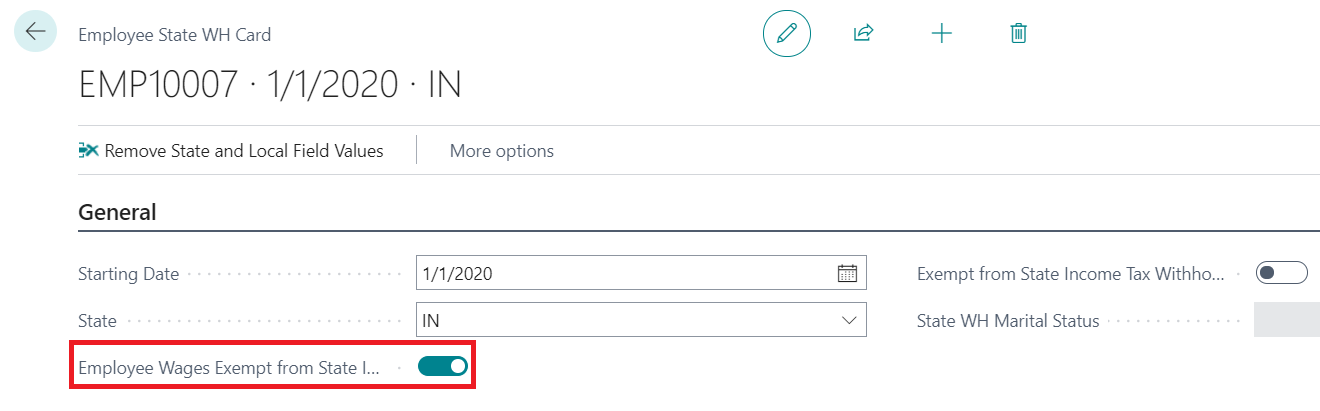
Employee Wages Exempt From State Income Tax
When set to true, it exempts any earnings in that state from showing the earnings as applicable to the state. This in turn will lead to ‘0’ earnings in that state and therefore 0 withholdings.
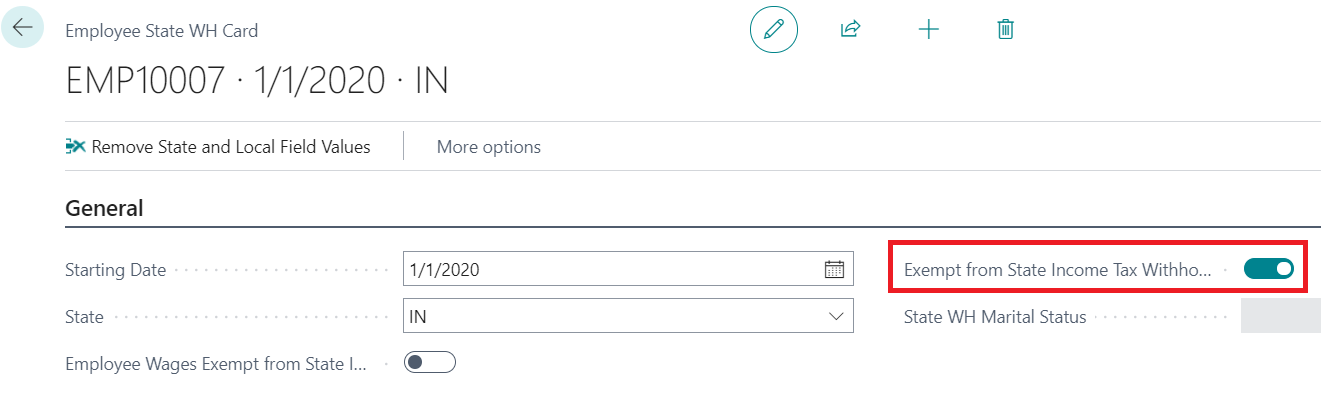
Exempt From State Income Tax Withholding
When set to true, there will not be any income tax withholding calculated for this state, however, the earnings will show as applicable earnings in the state income tax reports and W2.
State Income Tax Report Reminder
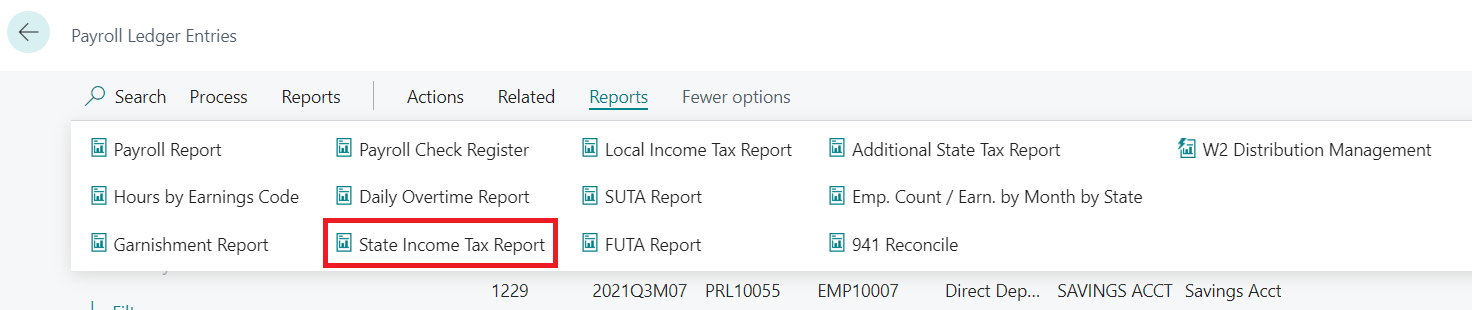
The State Income Tax Report (Payroll Ledger Entries > Reports > State Income Tax Report) will show the wages that are going to show up on the W2. This gives users the ability to check employees and see if anyone has ‘0’ wages in a state where they should have wages.
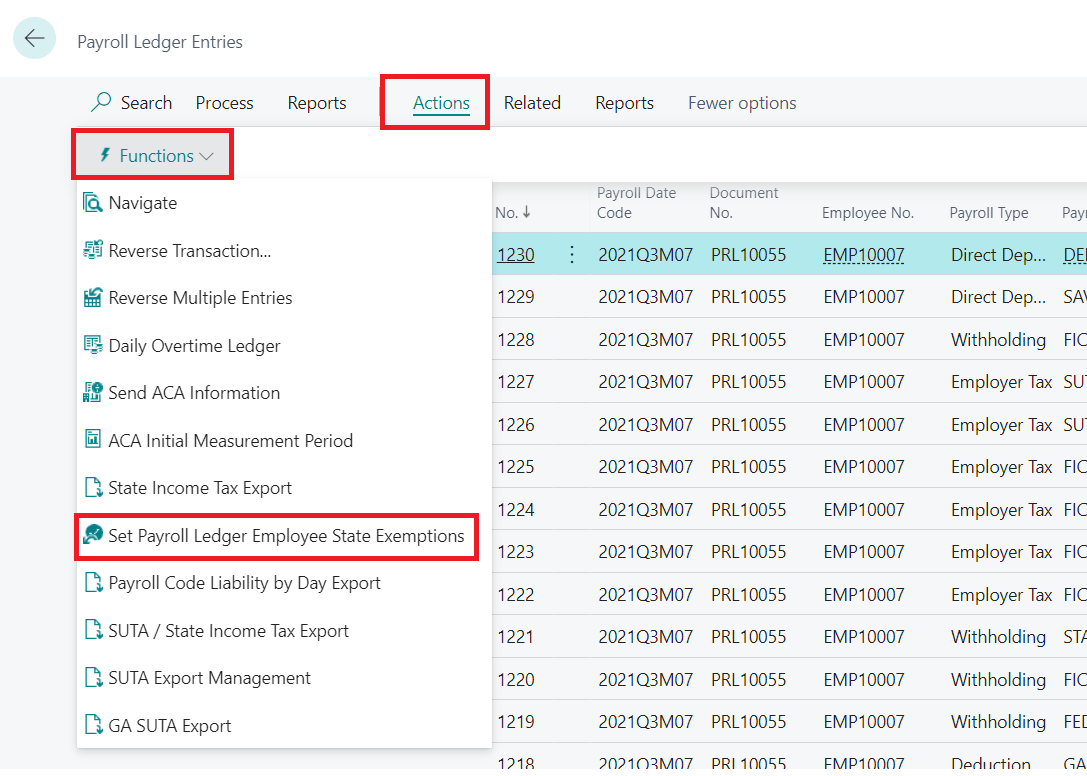
Set Payroll Ledger Employee State Exemptions
This feature allows you to change the exemption settings of employees from the Payroll Ledger Entries Table. If a user runs the State Income Tax Report and notices certain employees have the wrong state exemption settings, this report provides a quick fix to filter the employees and adjust their settings.
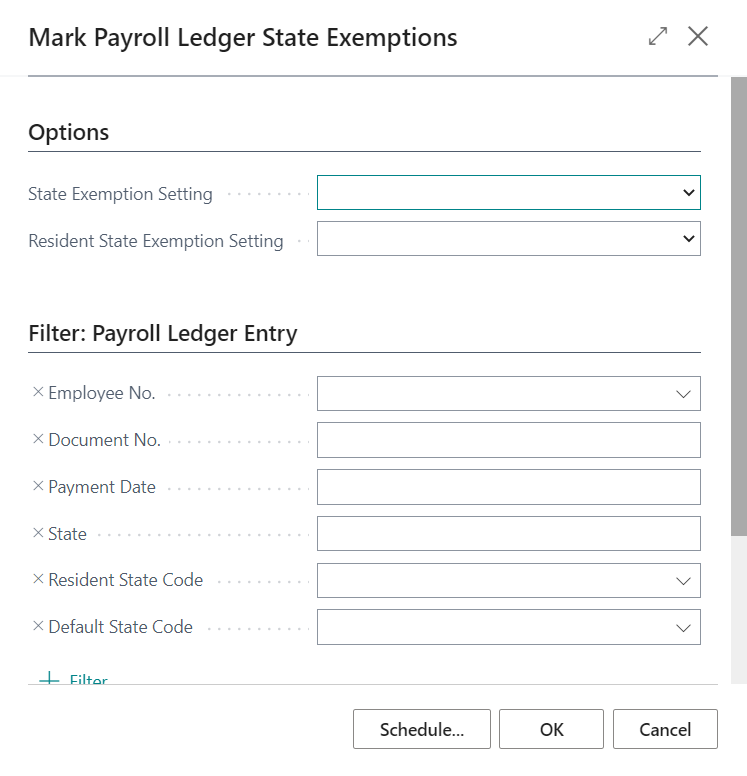
State Update Options
If you need to set an employee’s wages to be applicable state wages, filter on the employee number, the date range (most likely all of 2021), then set the ledger state exemption setting to No (and/or the resident state exemption setting to No) and run this report, it will reset the employee state exemption setting in the payroll ledger.
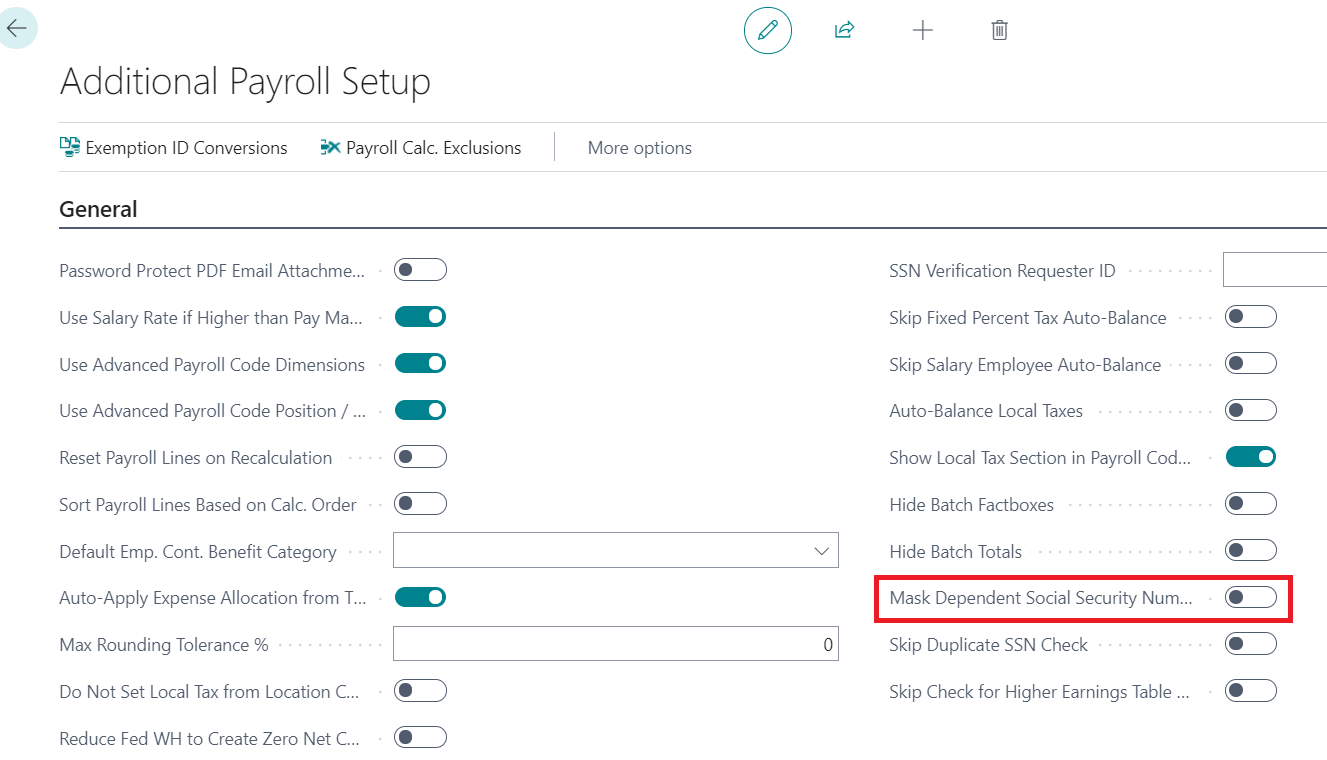
Mask Dependent Social Security Numbers
When set to true the dependents SS# will be masked.
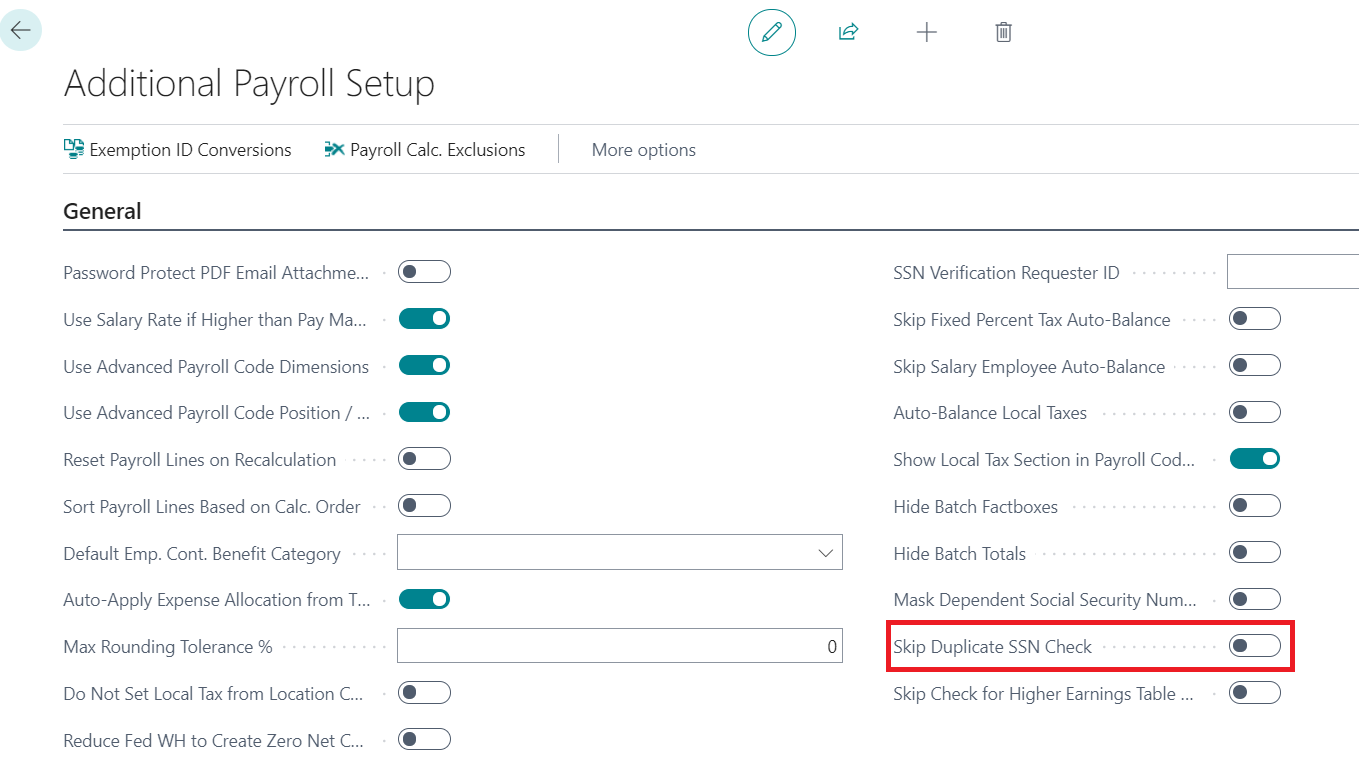
Skip Duplicate SSN Check
When set to true, the payroll system will skip the duplicate SSN check. This speeds up the process of loading a new SSN but also increases the risk of loading a duplicate SSN.
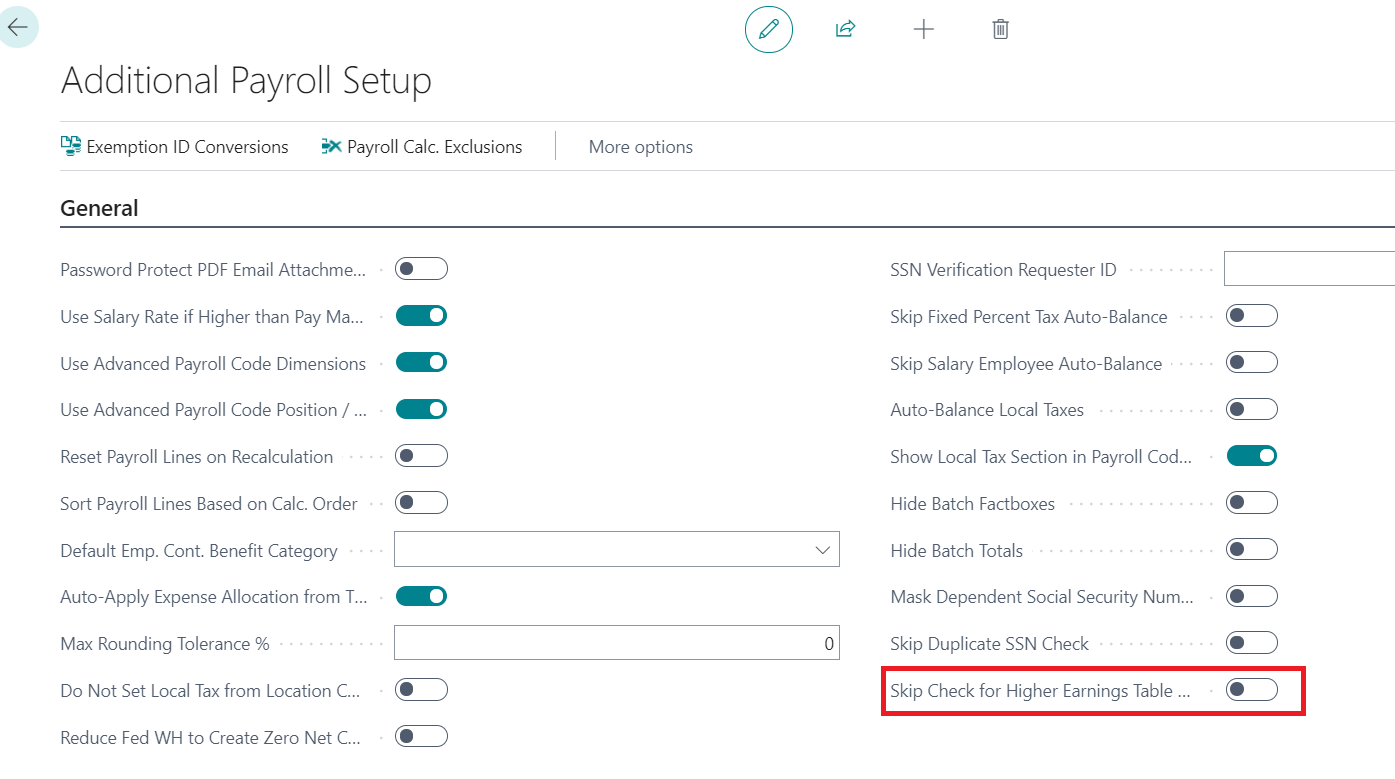
Skip Check for Higher Earnings Table Rate
When set to true, if an earnings rate is found specific to a payroll employee number that rate will be used even if it is not higher than the employee’s salary rate. This will only work if the value type is fixed hourly / piece rate.
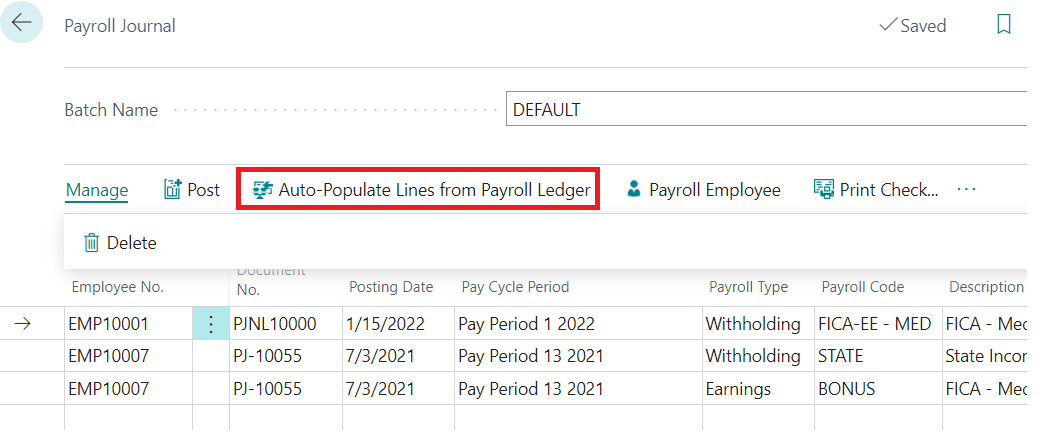
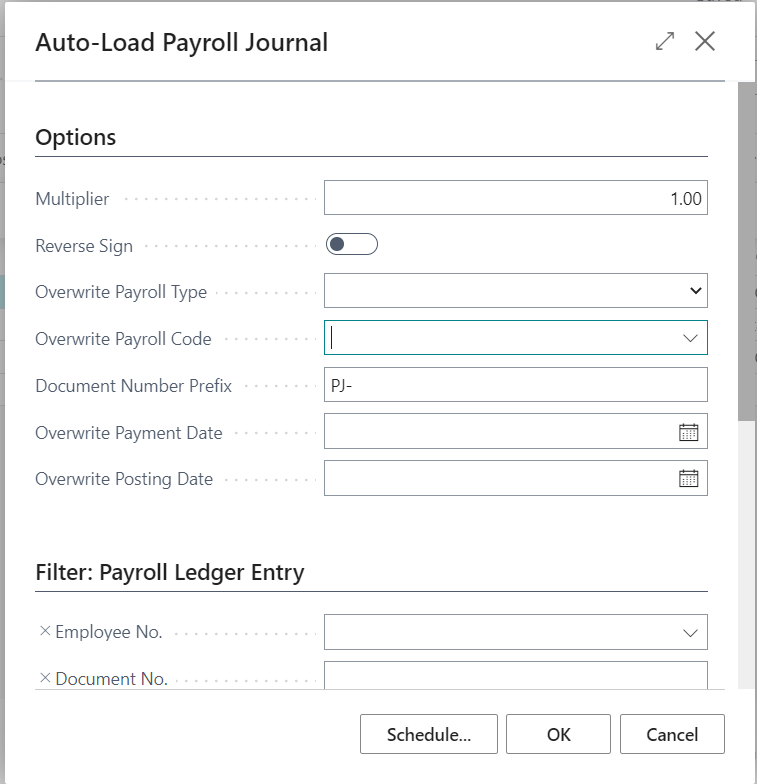
Auto-Populate Lines from Payroll Ledger
This new report simplifies the process of loading payroll journals. The user can auto-load the payroll journal from the payroll ledger. You can load multiple entries at once, you can multiply the amount that’s found in the ledger by a particular number, you can reverse the sign, etc.
W-2 Print and Mail Services:
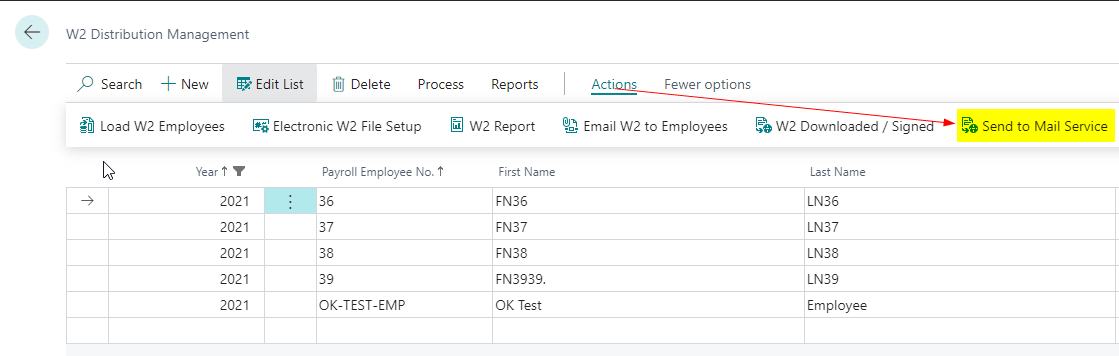
This feature is used if you would like Integrity Data to print and mail W-2s to your employees on your behalf.
Step 1: User accesses the W2 Distribution Management page.
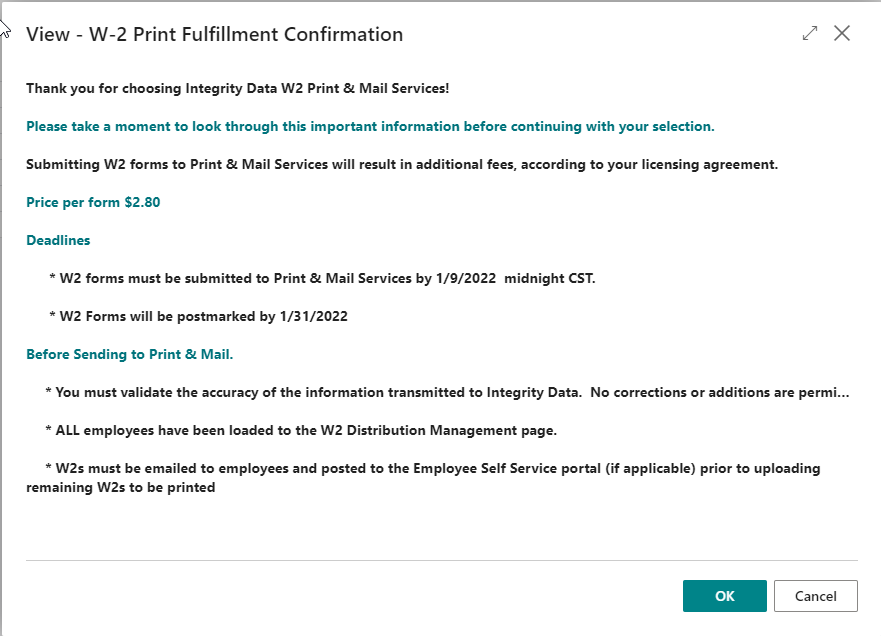
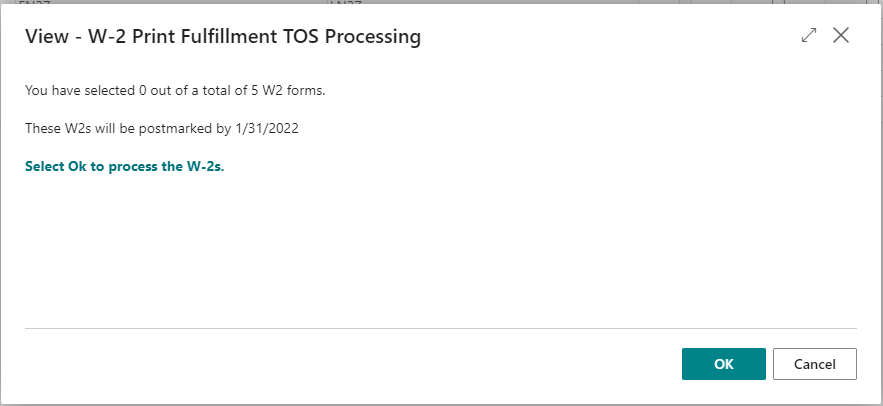
Step 2: Select Ok on the below page.
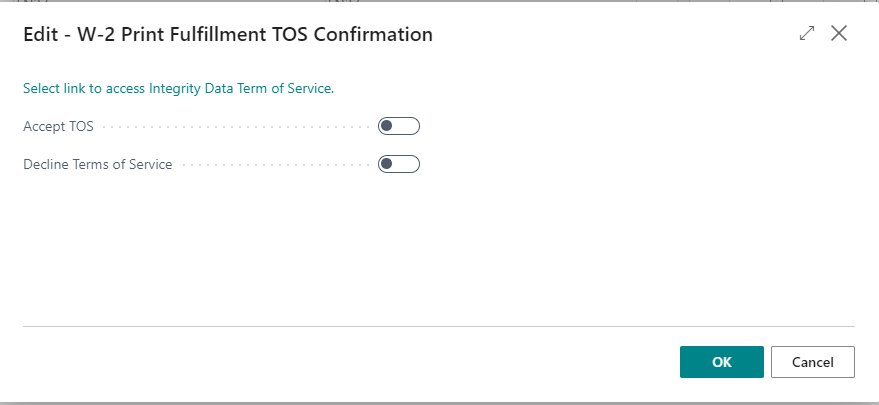
Step 3: Approve the TOS
Step 4: Verify the count of W-2s to be printed and select OK
Leave A Comment