
Update Payroll NOW
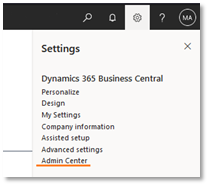
Navigate in Business Central to the Admin Center
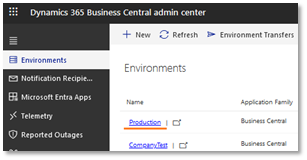
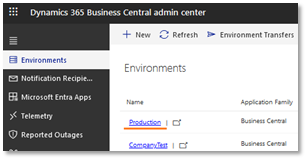
In the Environments tab, click the blue link to the desired Environment
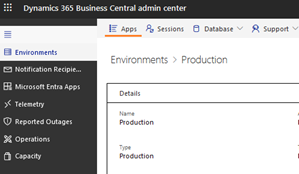
In the top left corner, click the Apps button
Scroll down until you get the Payroll NOW by Integrity Data Section

Click Install Update for “Payroll NOW by Integrity Data”
-
- “Primo Payday” should also be updated with the same steps
- “Payroll NOW by Integrity Data Base” is not essential, in most cases this will auto update when Upgrading Payroll NOW by Integrity Data
You will get a prompt, that allows you to update immediately, or update based on your Business Central update window (see configuration below)
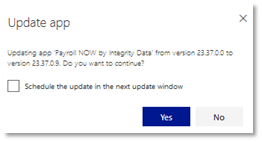
Setting the Scheduled Update Window
*This sets the update for the next Update Window; this will not be a continuous auto update after each release.
In the Environments tab, click the blue link to the desired Environment
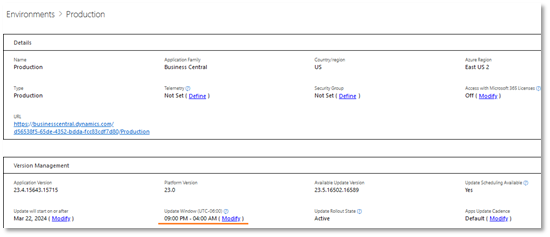
Under Version Management there is a displayed Update Window, Click Modify to update the window
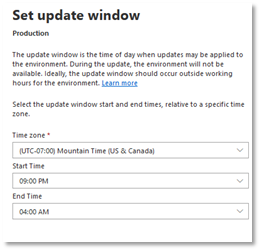
A side Panel will open, allowing you to set what time you would like for scheduled applications to update.
Automatically Update Business Central
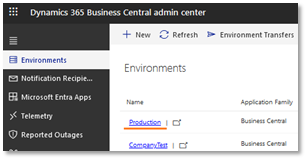
In the Environments tab, click the blue link to the desired Environment
Under Version Management there is a displayed Apps Update Cadence, Click Modify to update the setting
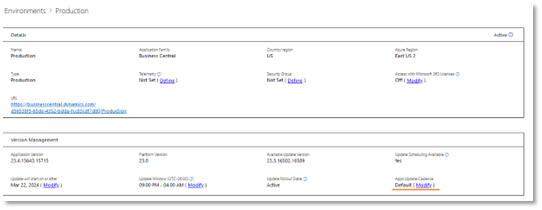
This will open a side panel in which the user may choose how the auto updates of BC should be handled
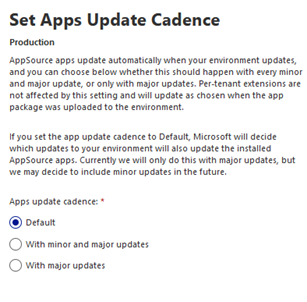
- This setting should utilize the Update Window specified and perform the auto update when the desired option chosen is available.
Questions / Resources
If you have questions or comments please email support@integrity-data.com.
Last Review: 3/19/2025
Leave A Comment