
Payroll Check Register
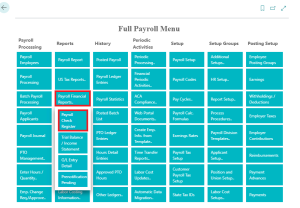
Navigate to the ‘Full Payroll Menu’ and locate the ‘Reports’ column. Click on ‘Payroll Financial Reports’ then ‘Payroll Check Register’ to access.
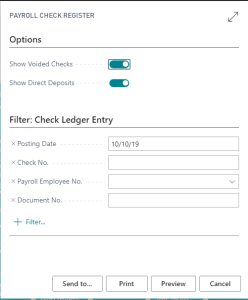
Make use of the provided ‘Options’ and ‘Filters’ to define the parameters of the report.

TRIAL BALANCE / INCOME STATEMENT
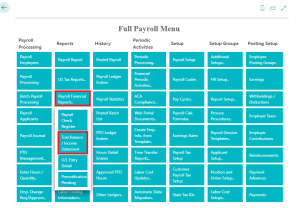
Navigate to the ‘Full Payroll Menu’ and locate the ‘Reports’ column. Click on ‘Payroll Financial Reports’ then ‘Trial Balance / Income Statement’ to access.
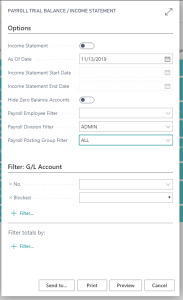
Make use of the provided ‘Options’ and ‘Filters’ to define the parameters of the report.
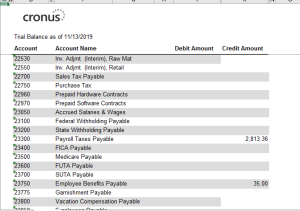
G/L Entry Detail
Navigate to the ‘Full Payroll Menu’ and locate the ‘Reports’ column. Click on ‘Payroll Financial Reports’ then ‘G/L entry Detail’ to access.
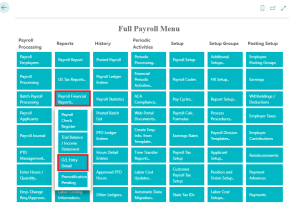
Make use of the provided ‘Options’ and ‘Filters’ to define the parameters of the report.
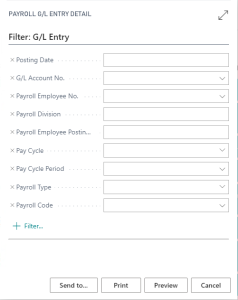
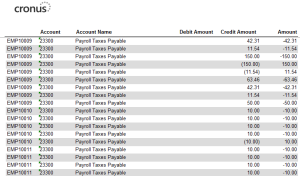
Prenotification Pending
Navigate to the ‘Full Payroll Menu’ and locate the ‘Reports’ column. Click on ‘Payroll Financial Reports’ then ‘Prenotification Pending’ to access.
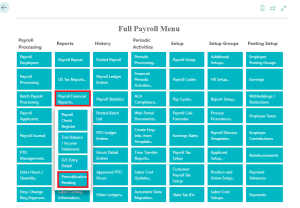
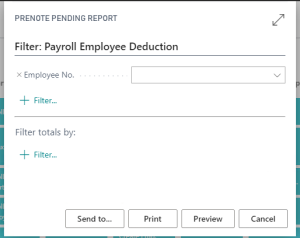
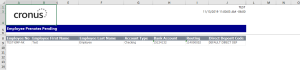
Make use of the provided ‘Options’ and ‘Filters’ to define the parameters of the report.
Questions / Resources
If you have questions or comments please email support@integrity-data.com.
Last Review: 04/21/2024
Leave A Comment