
What’s New
- Updates to data mapping for hire and adjusted hire dates in some scenarios
- Updates to the 943-form change
- Improved the data sync for payroll deduction
- Updates to the calculation of federal and state wages and exempt deductions
- Updates to mapping related to the local payroll tax bracket and payroll code vs local tax code
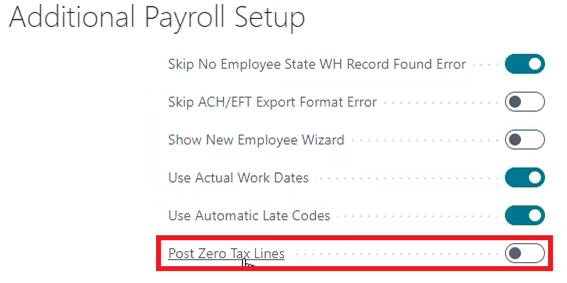
Post Zero Tax Lines
When set to true, all withholdings and employer taxes will be posted to the payroll ledger even if the tax amount is zero.
It will calculate payroll lines and post them to the payroll ledger even if there is no tax necessary due to tax exemptions, surpassing wage limit thresholds etc.
This feature is helpful for managing Base Taxable Amount calculations
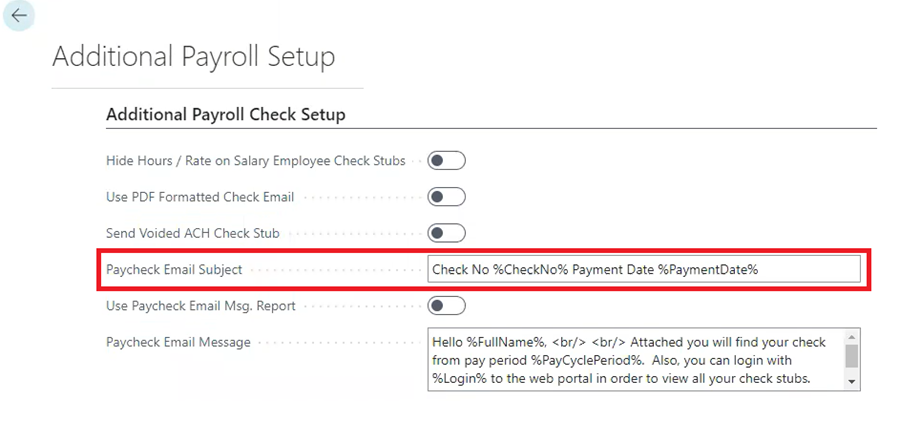
Paycheck Email Subject
Paycheck Email Subject allows the user to insert captions with variables (please notice the ‘%’ sign surrounding each caption) to pull in the actual payroll data into the Paycheck Email Subject if desired
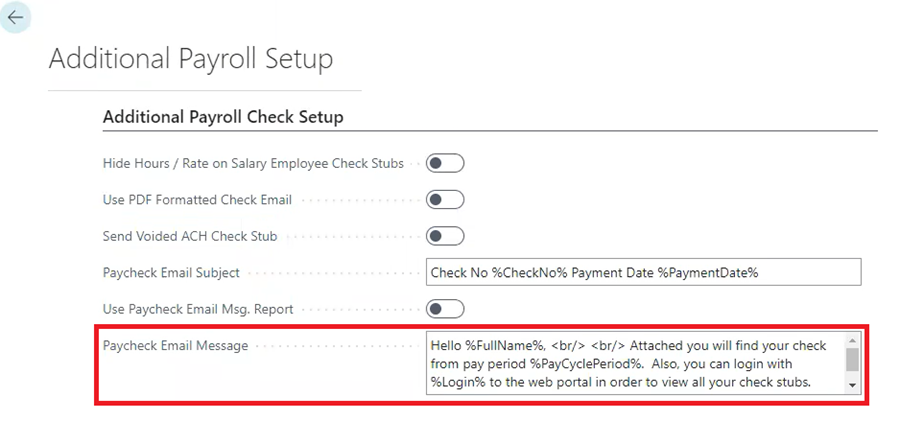
Paycheck Email Message
Paycheck Email Message allows the user to insert captions with variables (please notice the ‘%’ sign surrounding each caption) to pull in the actual payroll data into the Paycheck Email Message if desired.
Variable Commands for Paycheck Email Subject and Paycheck Email Message
'%First%', PayrollEmployee."First Name"
'%Last%', PayrollEmployee."Last Name"
'%FullName%', PayrollEmployee."Full Name"
'%Email%', PayrollEmployee."E-Mail"
'%Login%', PayrollEmployee.Login
'%PaymentDate%', Format "Payment Date", 0, '<Month,2>-<Day,2>-<Year4>'
'%PayCyclePeriod%', "Pay Cycle Period"
'%CheckName%', CheckName
'%CheckNo%', "Check No."
'%CompanyName%', CompanyInformation.Name
'%CompanyPhone%', CompanyInformation."Phone No."
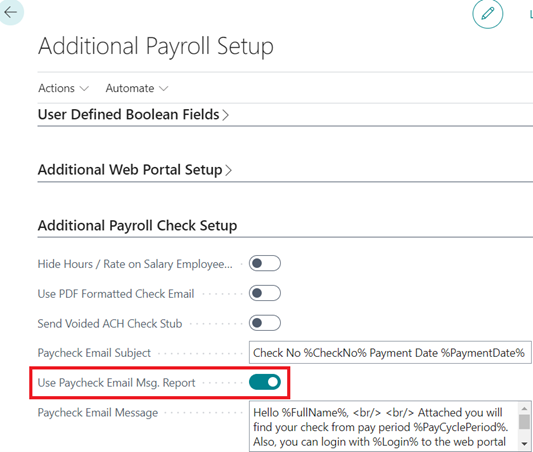
Use Paycheck Email Msg Report
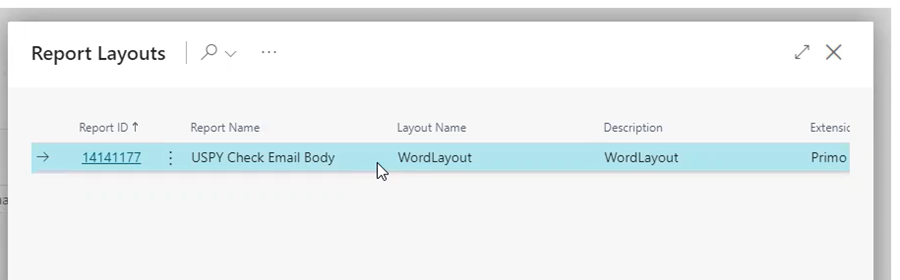
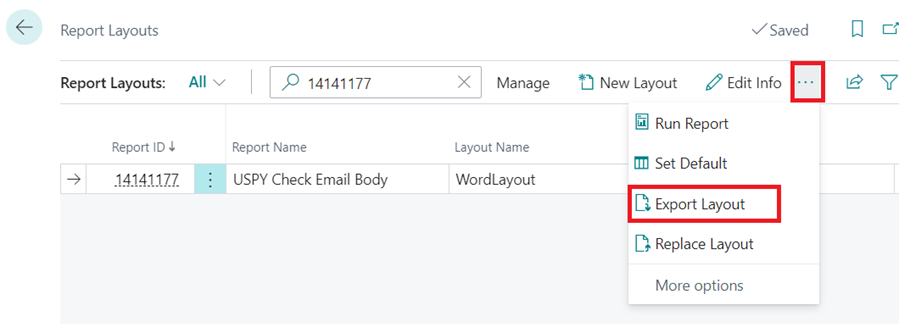
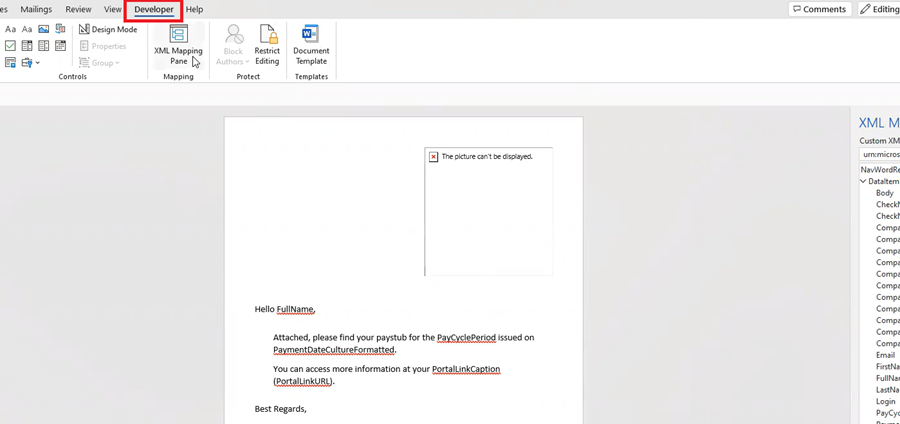
When set to true, if the user wants to change the email body and make it whatever you want it to be, you can export the layout in a word file and then modify it. Please note you will need to make sure to add / open the ‘Developer’ Tab to access the ‘XML Mapping’ pane in your Word Ribbon to be able to modify the word file.
SUTA/EFW2 Company Override
Note: You must have multi-company turned onto access this feature.
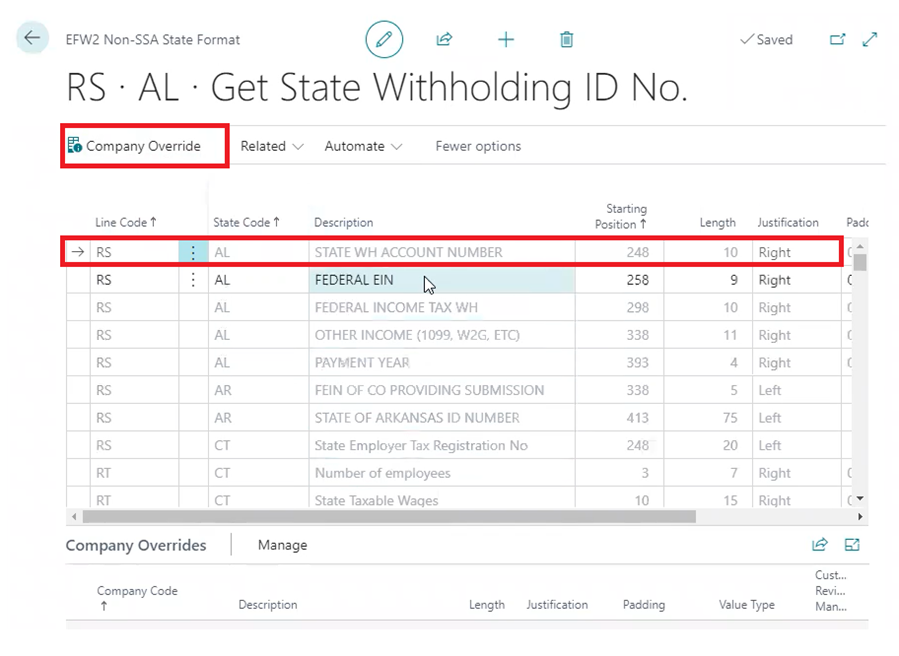
The purpose of this new ‘Company Override’ is to allow users to add a company override on certain fields in the setups for SUTA and W2 exports. This feature now provides the necessary functionality to replace a few data points in a SUTA or W2 export while allowing other data points in the export to remain as is. Instead of having to setup all lines for every company, you are able to override only the fields that change by company.
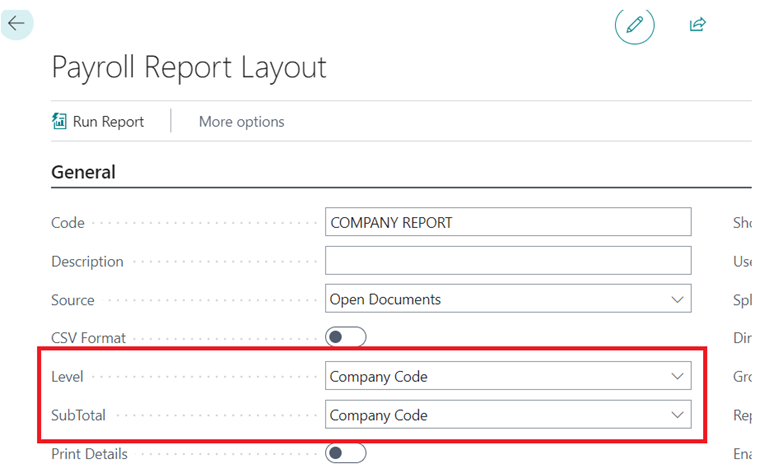
Company Code Added as 'Subtotal' Option in Payroll Reports
When creating payroll report layouts you can now select ‘Company Code’ as your report ‘level’ or ‘subtotal’ so that you can run everything and then have the report grouped by Company.
Auto Local Tax Updates - Multiple Local Taxes
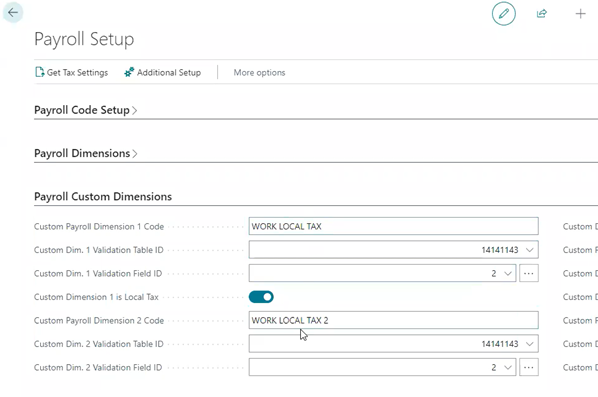
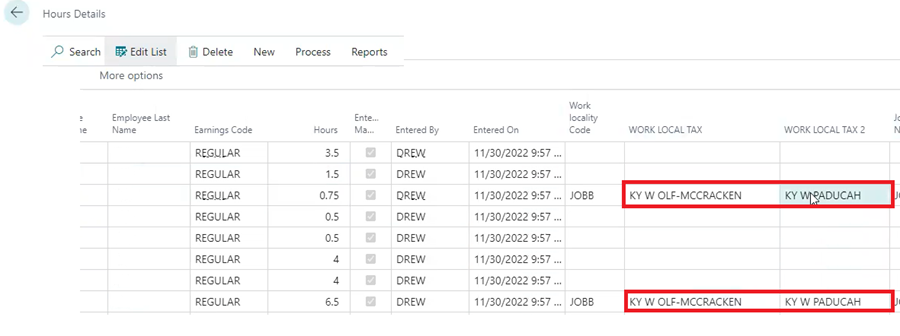
The feature allows custom payroll dimensions to be set as local tax codes.
You can now have a work locality that is not the same for the entire pay period.
Below are screenshots of the custom payroll dimension in the payroll setup table and then a view of how those custom payroll dimensions look in the hours detail table to track the variance in the local tax settings for the cycle.
Questions / Resources
If you have questions or comments please email support@integrity-data.com.
Last Review: 6/1/2023
Leave A Comment