
Employee E-Mail Suite
Automatically and securely e-mail direct deposit earnings statements and W-2s to your employees
See how Integrity Data’s leave software has helped Denise track time off accruals and
distribute earnings statements via e-mail in a fraction of the time
Watch our Employee E-mail Suite Feature in Action
Quickly distribute direct deposit earnings statement in Microsoft Dynamics GP
A cool, quick way to distribute earnings statements
in Microsoft Dynamics GP
Employee E-Mail Suite is easy to set up and use
in Microsoft Dynamics GP
See how much you can save with our ROI Calculator
See what our customers are saying about Employee E-mail Suite

Bedford County Public Service Authority
“Employee E-Mail Suite has saved Bedford County PSA time by enabling us to automatically email 31 earnings statements with the click of a button as opposed to creating and sending 31 separate emails! We are looking forward to offering Email W-2 statements this year as well.” – Jill Underwood

Sethi Management
“When we first started using GP Payroll, I heard about Employee E-Mail Suite but didn’t think I would need it. But then I went from doing payroll for 10 employees to doing payroll for all of our 200+ employees, which became very time consuming and expensive to print, package, and ship pay stubs to the different employees at the different locations every two weeks. So, I purchased Employee E-mail Suite and saw a cost and manual time difference right away. It has been my favorite module.” – Ganish Sethi

Pine Rest Christian Mental Health Services
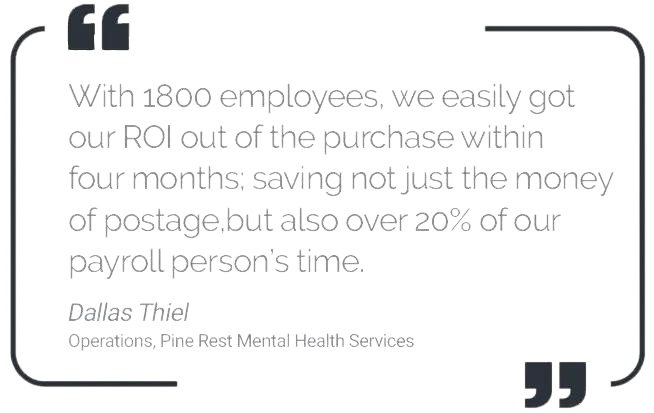
“Electronically emailing earnings statements from Employee E-Mail Suite has been awesome. Employees get their statements faster and our Payroll processing time as been significantly reduced. With 1800 employees, we easily got our ROI out of the purchase within four months; saving not just the money of postage, but also over 20% of our payroll person’s time.” – Dallas Thiel
Resources
Downloads
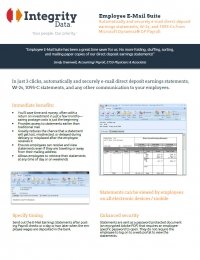
Fact Sheet
User Guide
COVID-19 Legislation Blogs for Dynamics GP
> Microsoft Dynamics GP and Comprehensive Leave Manager Strategies for FFCRA Paid Sick Leave Act
> Expanded Family and Medical Leave Act (E-FMLA) and Microsoft Dynamics GP Tips Simplified
Knowledge Base
KB02-030
There has been an issue where Employee E-Mail Suite users are getting two errors for each employee to whom the user is attempting to email an earnings statement or W-2.
The two error messages are:


This issue was caused by the Fall Windows Creator Update patch (Windows 10 Build 1709). This patch appears to have corrupted the Adobe PDF print driver. The fix involves deleting and recreating this printer on the affected machine. Attached is a document that will step the user through this process. Users can verify their current version by going to Start > Run > Type “winver.exe” and Select OK. A window will open similar to the following:

If the user is on Version 1709 or later, this fix may apply.
This document will step you through the process.
Questions / Resources
If you have questions or comments please email Support@integrity-data.com.
If you would like to search for information and resources for Integrity Data products check out the following sites:
- Knowledge Base: https://www.integrity-data.com/knowledge-base/
- Videos: https://www.integrity-data.com/video-library/
Last Review: 12/13/2017 – Revision: 1.0
Applies To:
Microsoft Dynamics GP 2015 R2
Microsoft Dynamics GP 2013 R2
KB02-029
Adobe Acrobat Post Script Files
When you process the E-Mail Earnings Statements or E-Mail W-2 Statements but the error report never prints and a postscript PDF file is being created in the PDF file location but the system never converts the postscript file to the PDF file typically, this means there is an issue with the installation and/or performance of Adobe Acrobat.
Microsoft Dynamics GP > Tools > Setup > Payroll > Email Suite

Incorrect file indicating an issue with Adobe Acrobat:

Correct file indicating the system successfully created the PDF File.

The first step is to verify a valid version of Adobe Acrobat is being used. You can verify the version installed from Control Panel Programs and Features list. The supported versions of Adobe for Employee E-Mail Suite are Adobe Acrobat Standard or Pro X, XI or DC. Adobe Reader is NOT supported.

Secondly, verify only one version of Adobe is installed. There have been known problems when multiple versions are found on a computer (i.e. Acrobat Standard X with Reader 9.0 or Acrobat Standard XI with Adobe reader X). Finally, the location of all installed products must be the same. If all of this is valid and an error is still being received uninstall and reinstall adobe.
Citrix and Adobe Acrobat
It must be noted that Adobe has a special deployment method for Citrix servers. If you are on a Citrix server verify with Adobe that it is correctly installed on your server. If it is not correctly installed, the product will not function properly. Please contact Adobe with any questions regarding the deployment on a Citrix server.
https://www.adobe.com/devnet-docs/acrobatetk/tools/AdminGuide/citrix.html
Questions / Resources
If you have questions or comments please email Support@integrity-data.com.
If you would like to search for information and resources for Integrity Data products check out the following sites:
Knowledge Base: https://www.integrity-data.com/hrp/knowledge-base/
Videos: https://www.integrity-data.com/hrp/videos/
Last Review: 3/29/2016 – Revision: 1.0
Applies To:
Microsoft Dynamics GP 2015 R2
Microsoft Dynamics GP 2013 R2
-
KB02-026
Specify employees will receive e-mailed statements and let this software do the work for you: Employee E-Mail Suite automatically knows who will receive their earnings statement via e-mail (employees with an email address in GP and currently on direct deposit that have not opted out.