
KB15-004
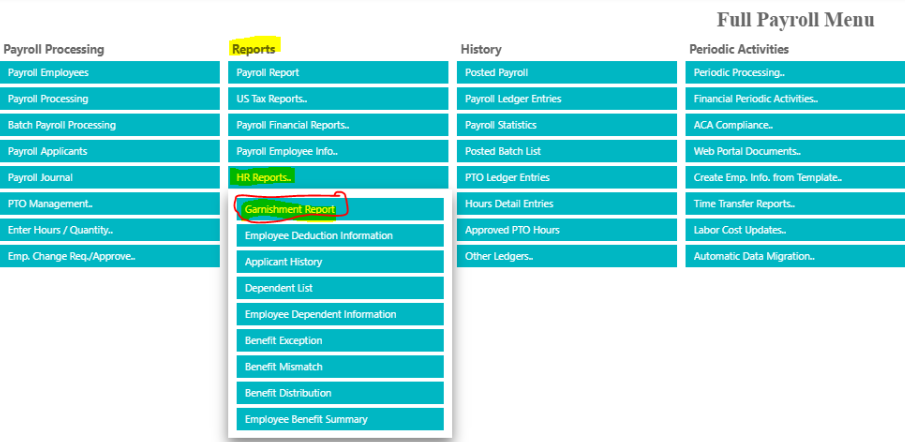
Navigate to the Payroll Menu
- Go to Reports Column -> HR Reports.. -> Garnishment Reports
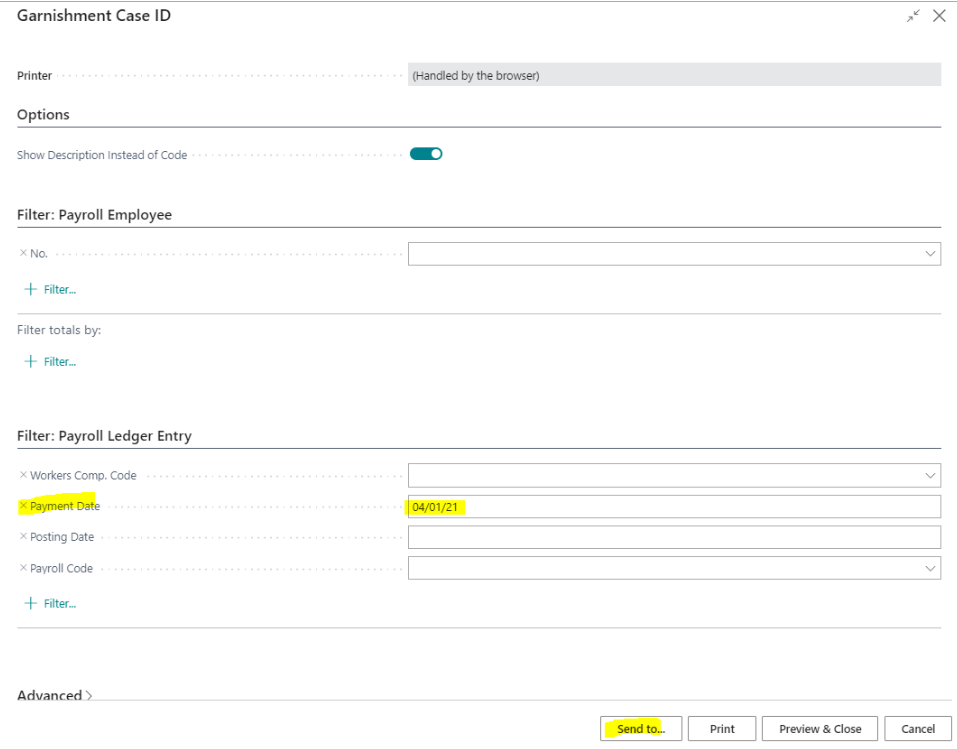
- From the Garnishment Case ID Window Select the Payment Date for the week of Reporting then Send to… (Choose your reporting style)
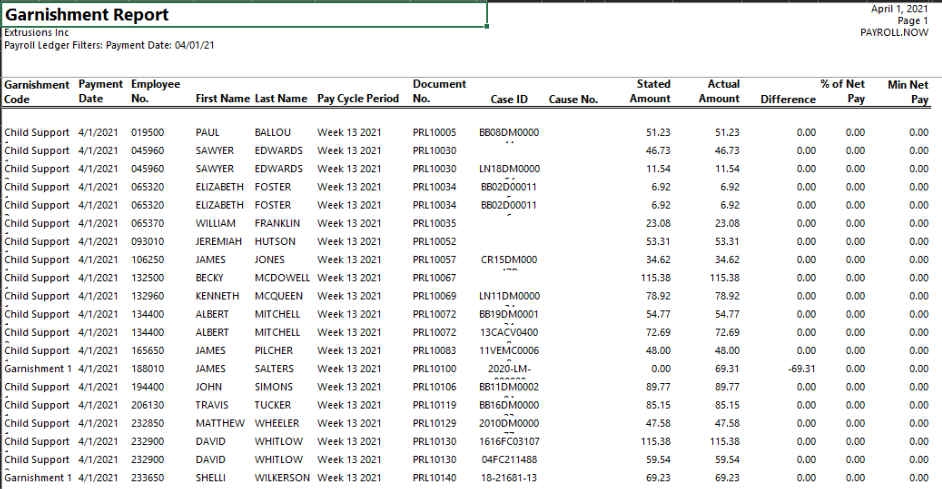
- Reporting will run. Then open the document
- Detail will appear on the reporting for the pay dates Garnishment activity
Questions / Resources
If you have questions or comments please email Support@integrity-data.com.
If you would like to search for information and resources for Integrity Data products check out the following sites:
- Knowledge Base: https://www.integrity-data.com/knowledge-base/
- Videos: https://www.integrity-data.com/video-library
Last Review: 5/04/2021 – Revision: 0.0
Applies To: Payroll Now
Keywords: Garnishment
Categories: Payroll Now
Leave A Comment